Add-Ons
Review and Activate Optional Services
Written By Maruf Ansari
Last updated About 1 hour ago
Add-ons are optional services that extend what is available to your Business beyond its main package. Your Agency decides which add-ons are offered and sets the setup fees, recurring prices, usage rates, and commitment terms shown on this page.
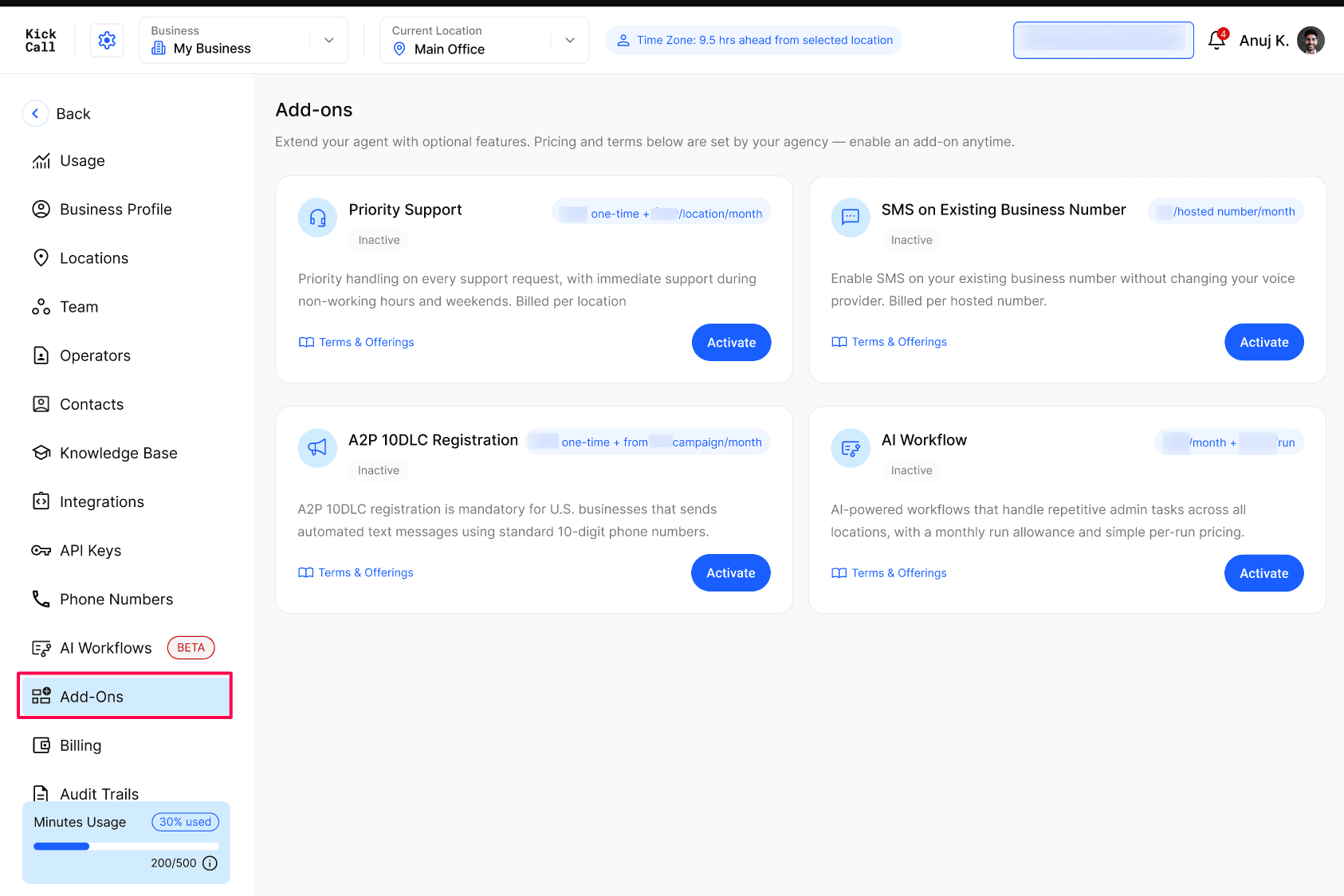
Open Add-Ons from the Business Portal sidebar. Each card shows the add-on name, a short description, its current status, a pricing summary, and two actions: Terms & Offerings and Activate.
Review before activating: Prices and terms can differ by Business. Always review the current pricing summary and commitment shown in your portal before confirming an add-on.
Available add-ons
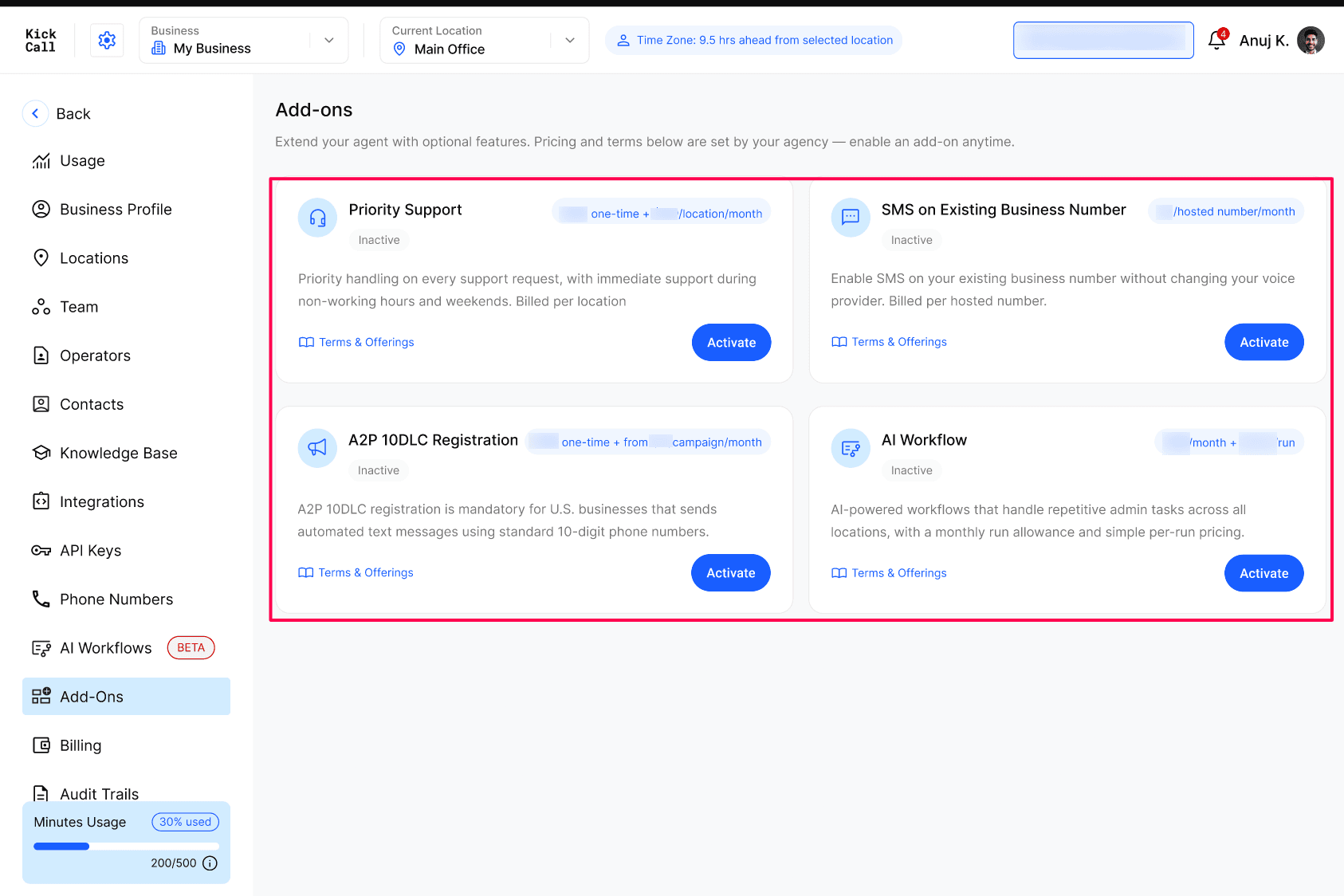
Priority Support
Priority Support provides faster handling of support requests, including support during non-working hours, weekends, and public holidays. The recurring charge is based on your active locations and may include a minimum number of billed locations.
A one-time setup fee may be due when you activate the add-on.
The recurring location charge is added to your monthly subscription.
If you add a location during the billing cycle, its charge is prorated from that day.
Cancelling the add-on stops priority routing at the end of the paid cycle.
SMS on Existing Business Number
SMS on Existing Business Number lets you host SMS on a number you already use without moving its voice service. Voice calls remain with your current provider, while two-way messages and agent-sent follow-ups appear in your unified inbox.
Country availability: This add-on is available only to Businesses in the United States and Canada. Businesses in any other country will see it marked as Unavailable.
A one-time setup fee may apply when hosting is activated.
A monthly fee applies to each hosted number.
Each additional hosted number adds a prorated monthly charge.
Standard messaging rates and carrier surcharges may still apply.
US bulk or marketing messages require the A2P 10DLC Registration add-on.
A2P 10DLC Registration
A2P 10DLC Registration covers the brand and campaign registration required for automated business messaging on standard US 10-digit phone numbers. This add-on covers registration only; SMS hosting is not included.
Country availability: This add-on is available only to Businesses in the United. Businesses in any other country will see it marked as Unavailable.
Choose the campaign type that fits your messaging needs during activation:
Low-Volume Mixed Campaign — for conversational traffic such as appointments, reminders, and replies.
Mixed Campaign — for marketing or bulk messaging with higher carrier throughput.
You are billed for the campaign you select, not both. One campaign can cover the number limit shown in the activation panel. Carrier pass-through fees are billed at cost, registration fees are non-refundable once submitted, and approval timing depends on the carriers.
AI Workflow
AI Workflow automates repetitive administrative tasks across your locations. The exact workflows available depend on the API capabilities of your connected integrations.
The monthly plan includes the run allowance shown in the pricing panel across all locations.
A run is one execution of a live workflow, regardless of how many steps it contains.
Runs above the included allowance are billed at the displayed per-run rate.
Usage resets at the start of each billing cycle and does not carry over.
Runs that fail because of the platform are not billed.
You can monitor run usage under Settings → Usage.
Review terms and pricing
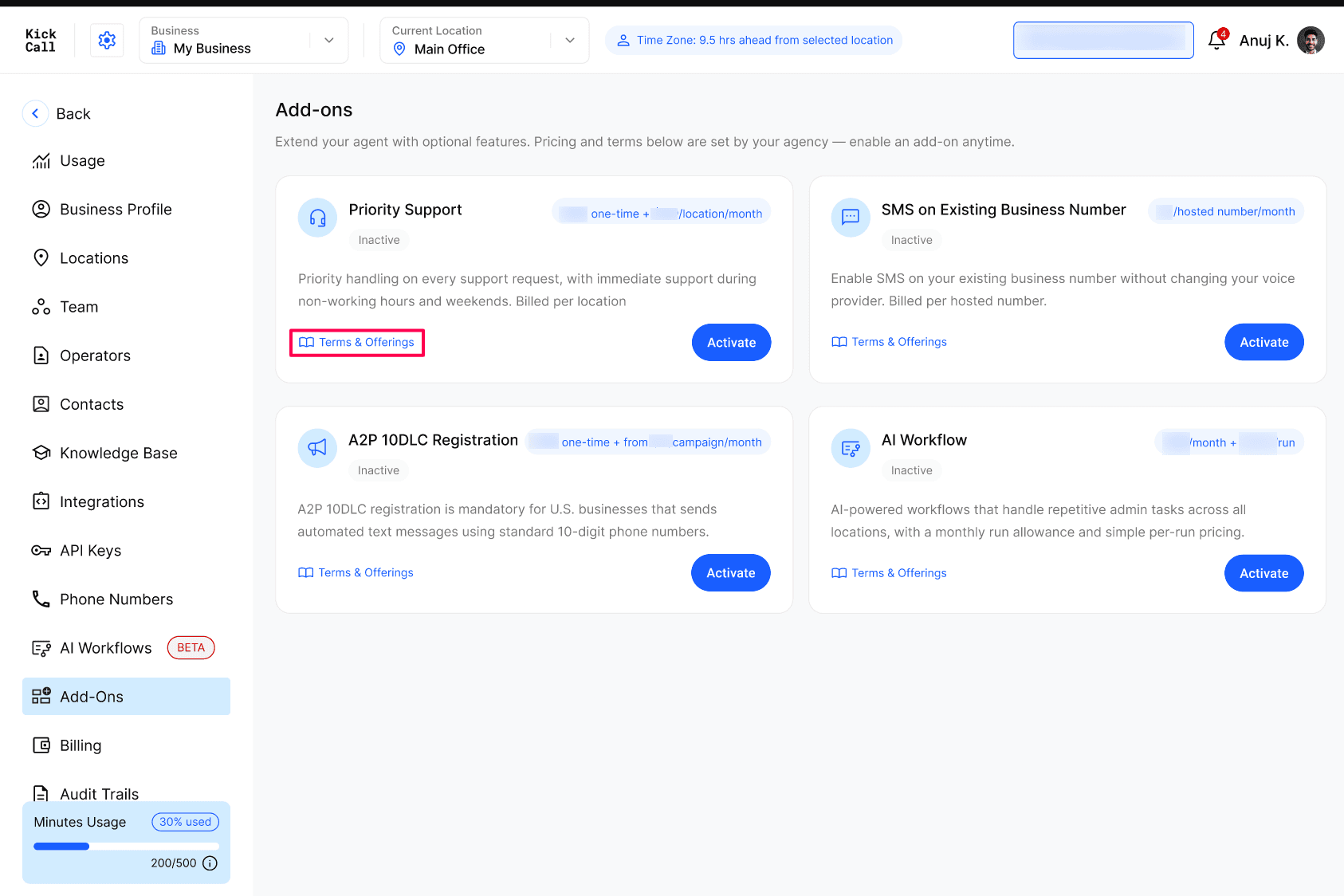
Click Terms & Offerings on any add-on card before activating it. The panel shows:
Any one-time setup fee due on activation.
The monthly, per-location, per-number, per-campaign, or per-run charges that apply.
Included allowances and minimum billable quantities, when applicable.
The commitment term configured by your Agency.
What the add-on includes and important billing conditions.
Activate an add-on
Open Add-Ons and find the service you want.
Click Terms & Offerings and review the charges, inclusions, and commitment.
Click Activate Add-On.
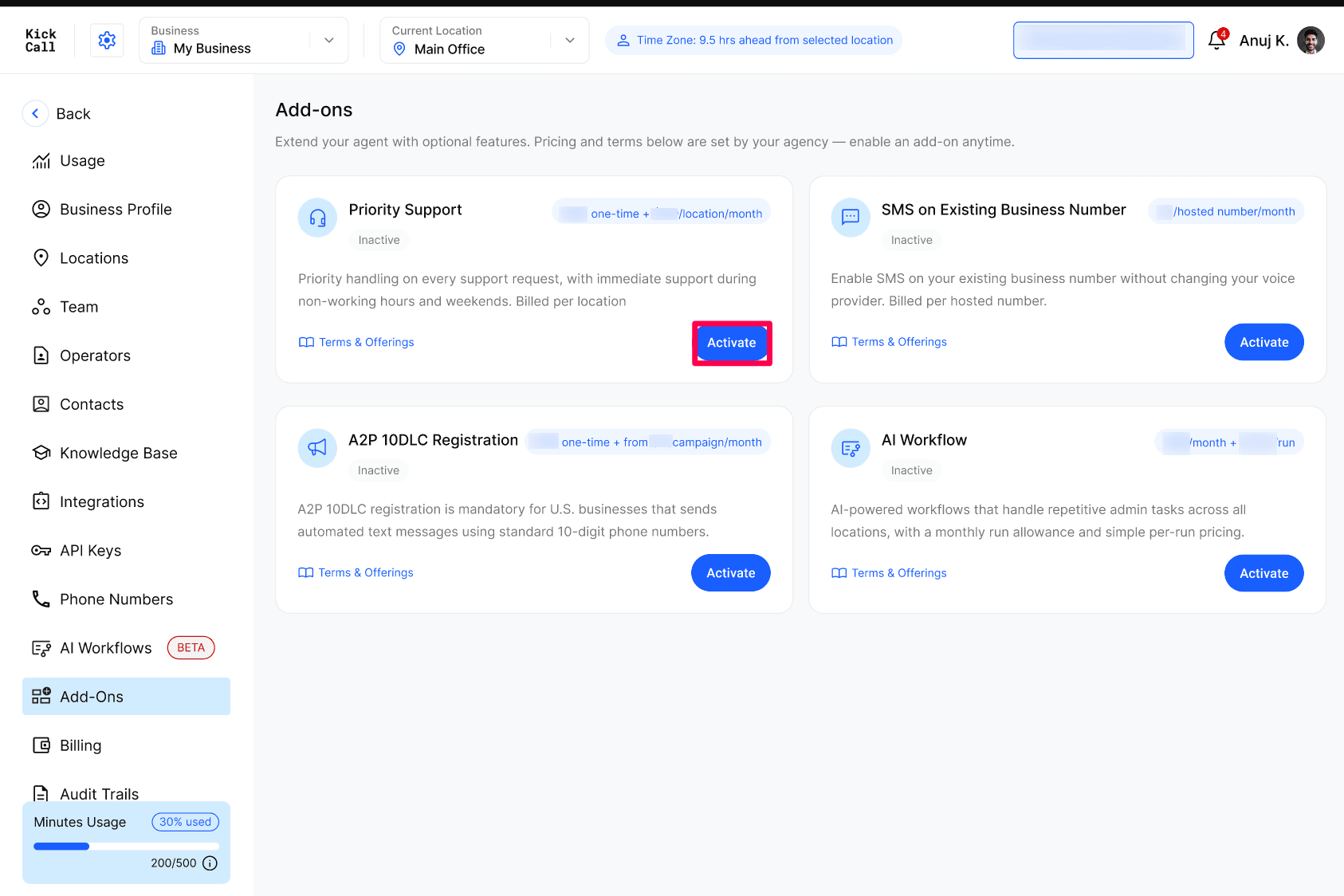
Complete any add-on-specific step. For SMS hosting, enter the phone number and click Check Eligibility. For A2P registration, select one campaign type.
Review the Due Today amount and the recurring charges. These will be charged to your payment method on file.
Select the checkbox confirming that you understand and accept the charges and terms.
Click Confirm & Activate.
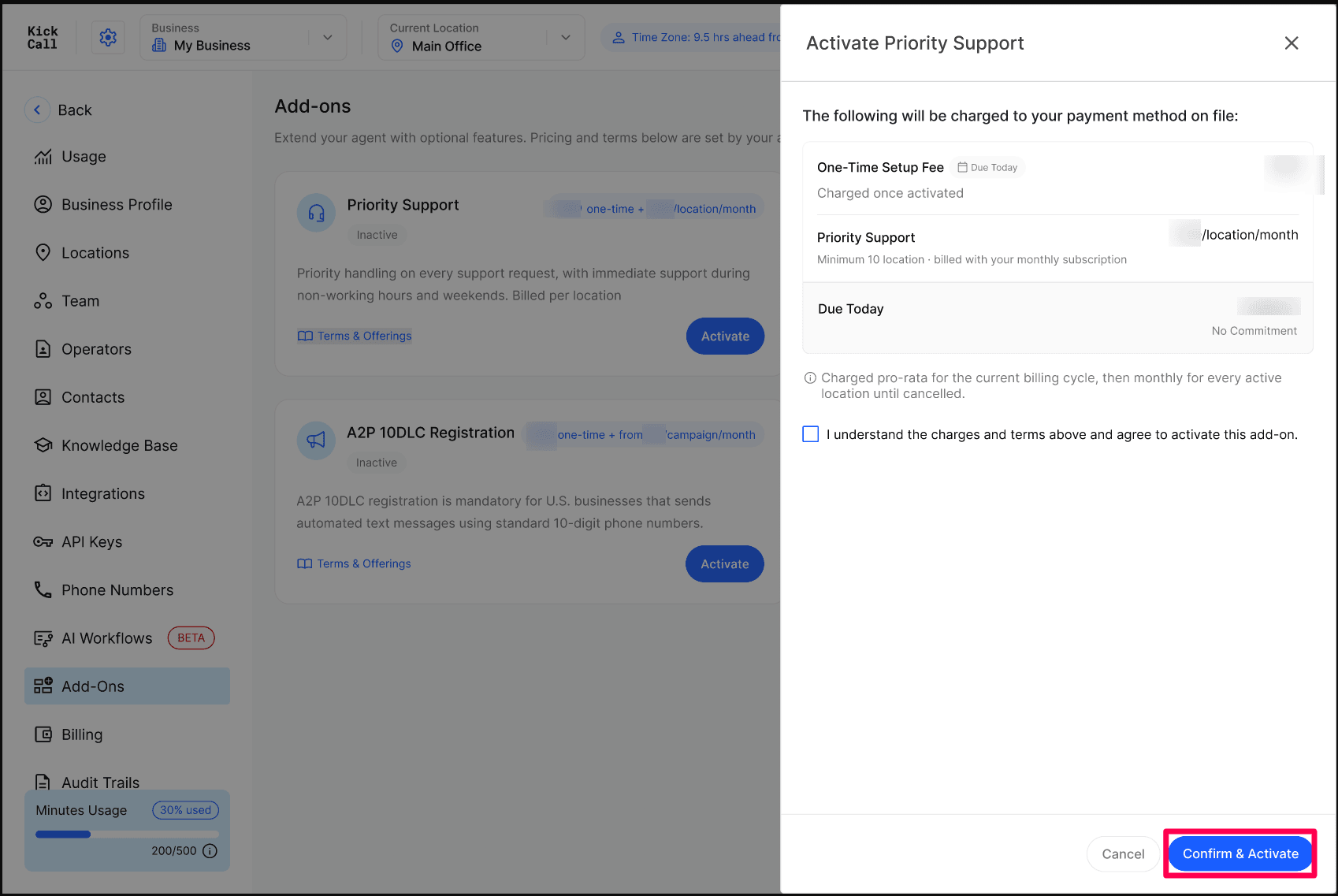
Charges for the current billing cycle are prorated where stated in the activation panel. Future recurring charges are included in your regular Business billing.
Deactivate an add-on
An active add-on shows an Active status and a Deactivate Add-On button. Deactivation is scheduled for the end of the current billing cycle, so you keep access until the date shown in the confirmation panel.
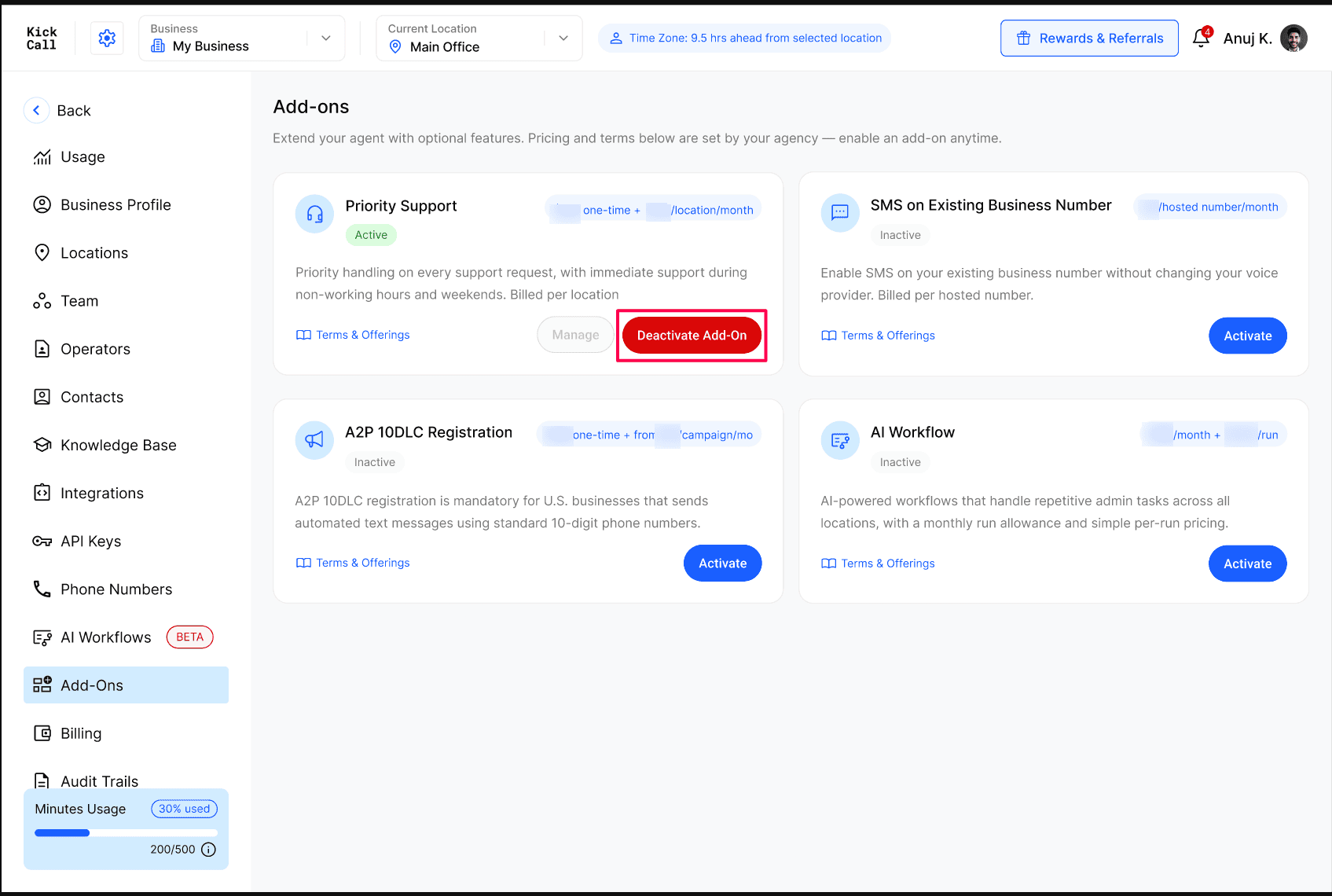
Find the active add-on and click Deactivate Add-On.
Review the Activated On date, commitment, and Current Cycle Ends date.
Under When should it stop?, review the end-of-cycle option and the exact date the add-on will become inactive.
Select a cancellation Reason.
Add optional Feedback about your experience.
Select the checkbox confirming that you understand when the add-on becomes inactive.
Click Confirm Cancellation.
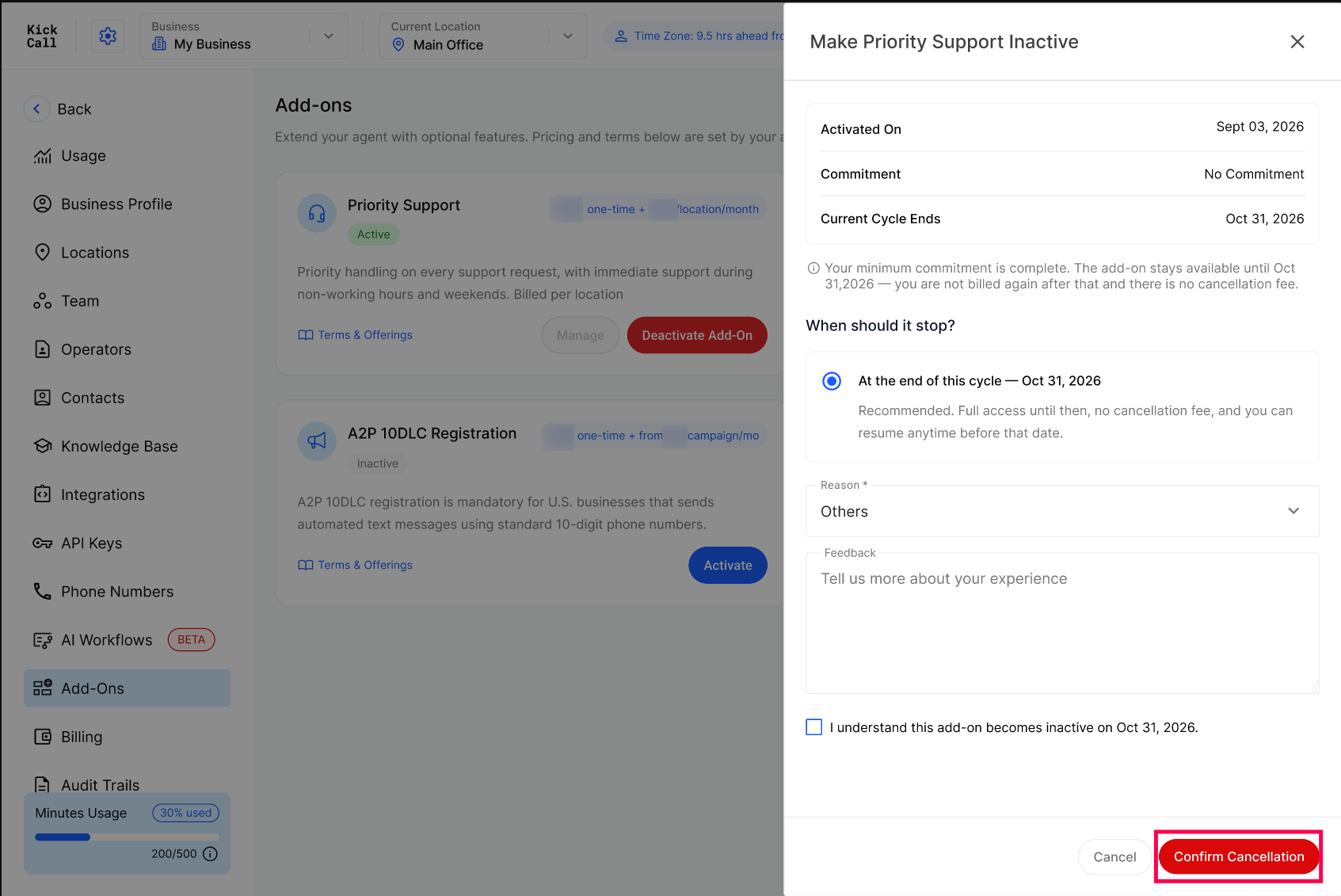
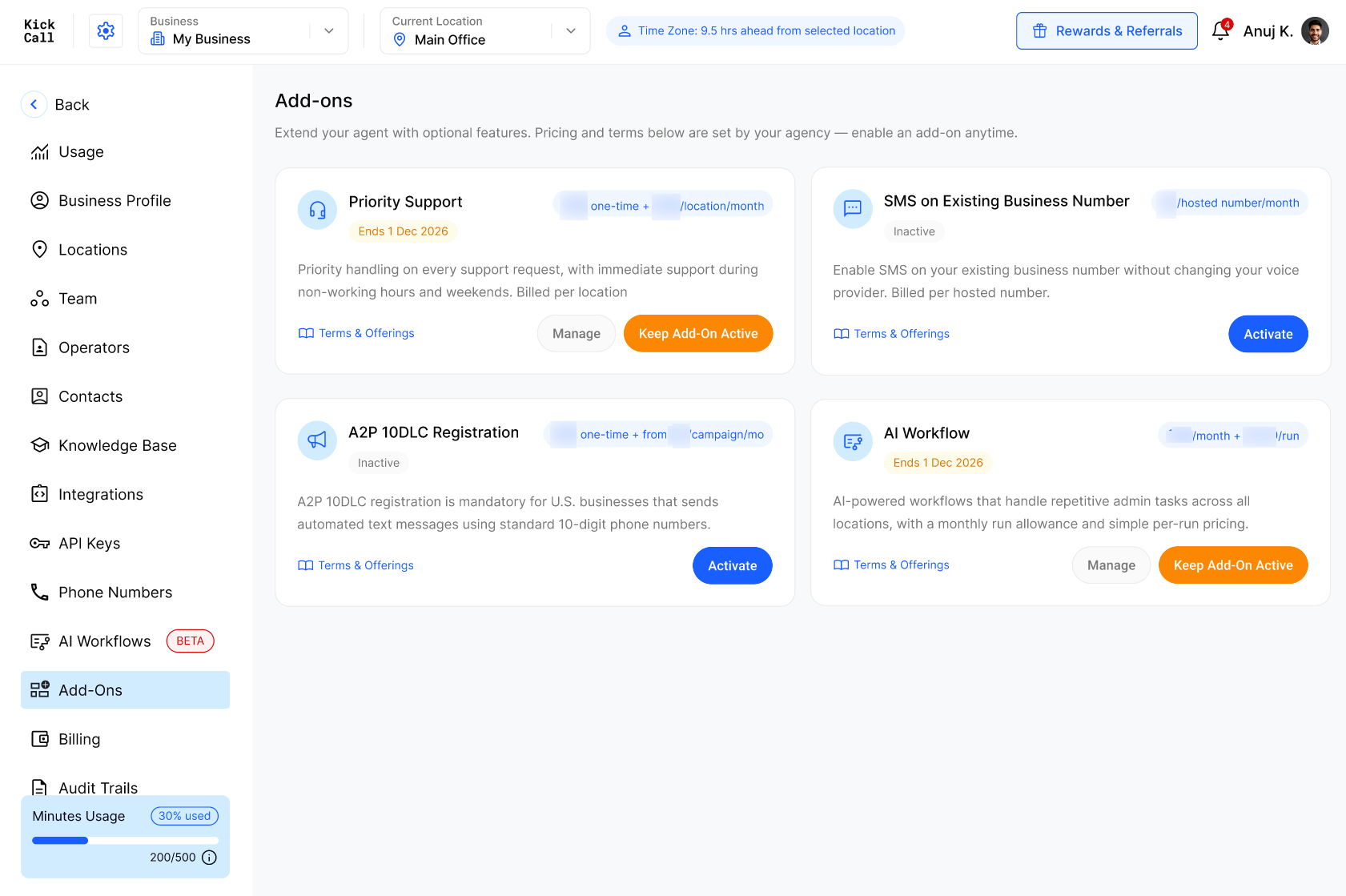
After cancellation is scheduled, the card displays an Ends date instead of the Active status. You are not billed again after that date, and the add-on remains available until the current cycle ends.
Keep a scheduled add-on active
You can reverse a scheduled cancellation before the displayed end date. Click Keep Add-On Active on the add-on card. The scheduled end is removed and the add-on continues without interruption.