Agency Billing & Usage
Written By Anand Raj
Last updated About 2 months ago
Agency Billing & Usage is where you manage your agency's subscription, payment methods, current month charges, integration costs and full billing history — all in one place.
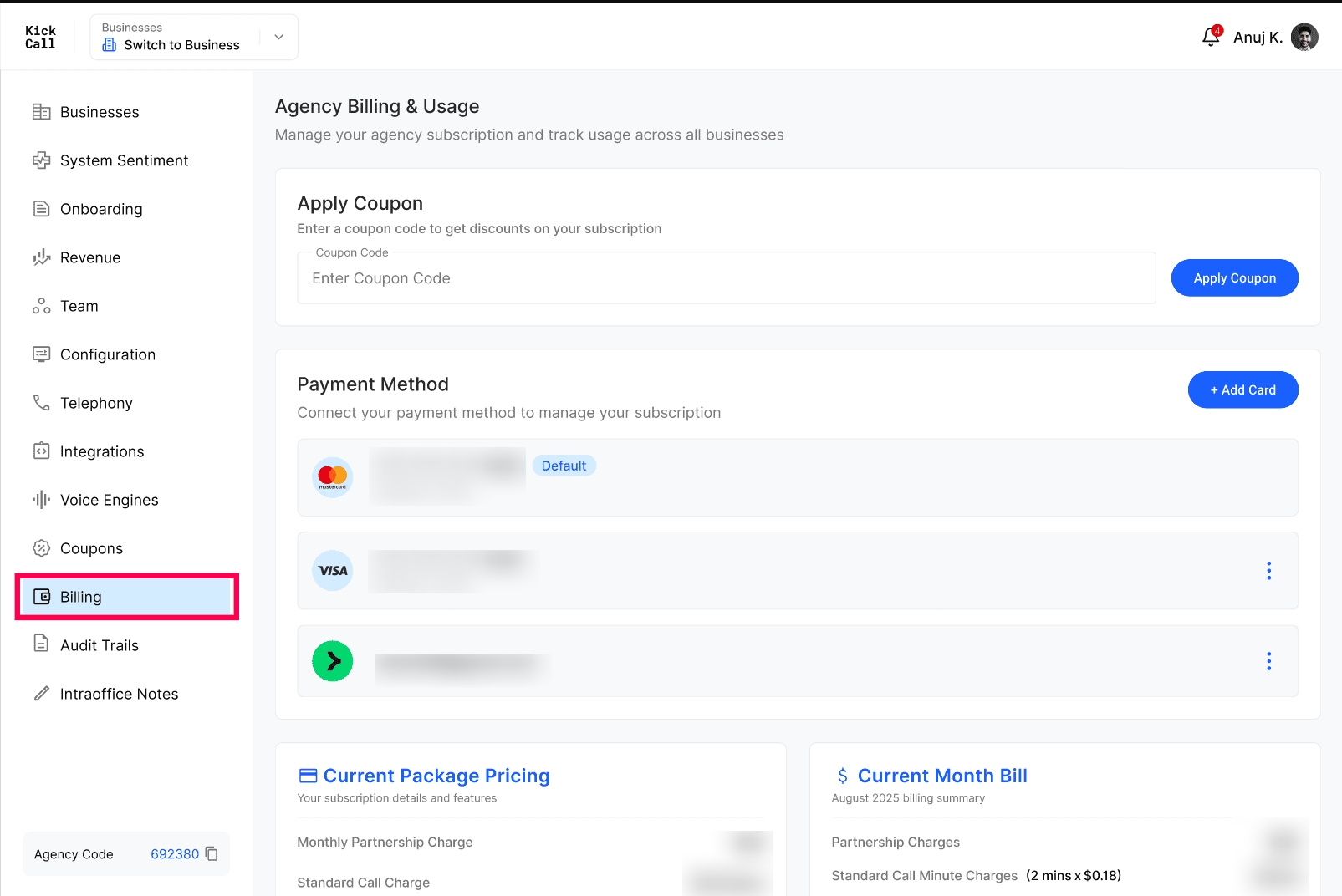
Payment Method
Connect and manage the cards or wallets used to charge your agency subscription. You can add multiple payment methods and mark one as Default. The default method is used automatically on every billing cycle.
Current Month Bill
A live summary of charges accumulated for the current month — partnership fee, call minutes, multilingual usage, AI chat, storage, premium support, locations and integrations. Updated continuously as your businesses use the system.
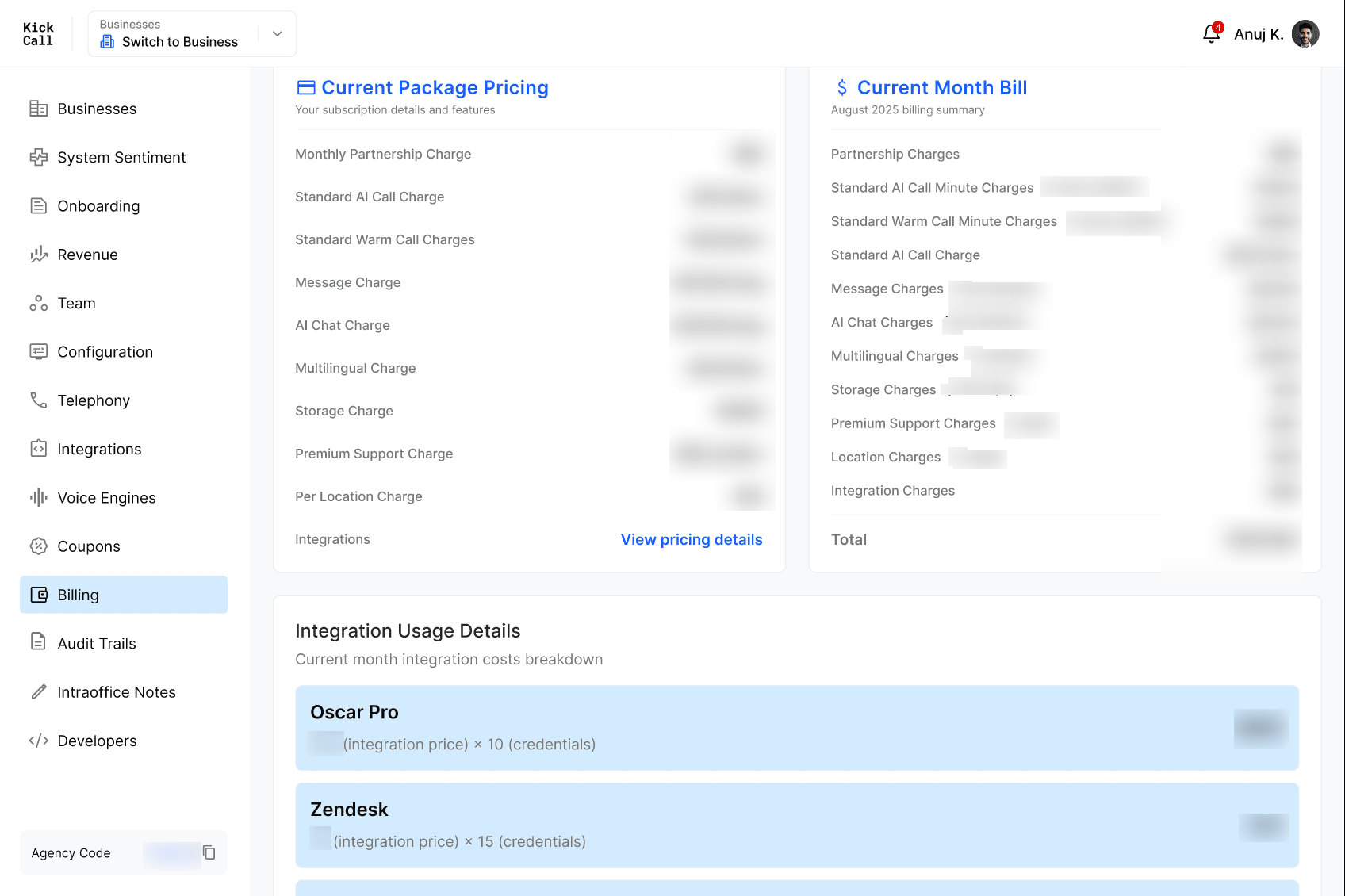
Integration Usage Details
Per-integration breakdown of how much each connected integration is costing this month, calculated as integration price × number of credentials in use (e.g. Oscar Pro, Zendesk, Slack, HubSpot).
Billing History
Month-by-month log of every invoice with subtotal, tax, discount, total, status (Draft, Open, Paid, Void, Refunded) and a downloadable invoice PDF for each row.
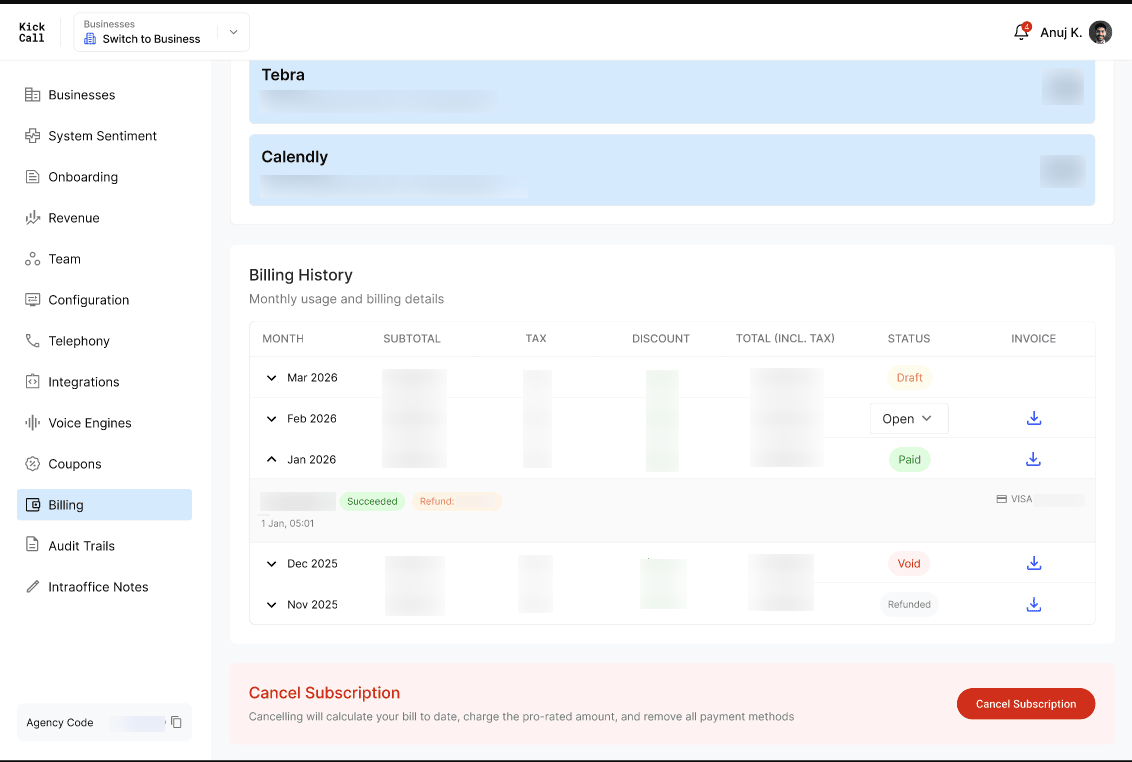
Possible invoice statuses:
Draft — current month bill, still accumulating, not yet finalized.
Open — invoice finalized and awaiting payment.
Paid — payment successful.
Void — invoice cancelled, no payment due.
Refunded — payment was returned to your card.
Expanded view — transaction & refund details
Click the arrow icon on any row to expand it and see the underlying payment transaction record:
Amount charged and Succeeded / Failed status
Card used for the charge (e.g. VISA •••• 4242)
Timestamp of the transaction
Refund details — if any amount was refunded against the original charge, it appears inline with the refunded amount
Post-Paid Billing Model
Kickcall runs on a post-paid billing model — your agency is charged on the last day of every month for the usage accumulated during that month. Based on payment outcome, your agency sits in one of four billing statuses:
Active
All services are up and running normally. You and your businesses have full access to the platform and every feature in your package.
Past Due
If a payment fails for any reason — card expiry, low balance, bank decline, etc. — we keep retrying. If the payment is still not recovered by the 7th day after failure, your agency moves to Past Due.
You (the Agency) can still log in and resolve the billing issue.
Services resume instantly once the outstanding balance is settled.
You will be charged for the complete month regardless of when within the month the issue is fixed.
Note 1: When the agency moves to Past Due, all your businesses' services are stopped and business users cannot log in to the system.
Note 2: We never delete any data at this stage. Your setup, configurations, integrations and phone numbers remain exactly as-is until the next billing cycle.
Inactive
If billing issues from Past Due are not resolved by the next billing cycle, the agency moves to Inactive.
You will not be able to log in to the system. You must reach out to our support team to recover the account.
All active integrations are deleted and all phone numbers are released.
After 1 month in Inactive, your agency and all its businesses are permanently deleted. This data cannot be recovered.
Cancelled
You can cancel your subscription at any time from the Cancel Subscription action at the bottom of the Billing page. If you cancel in the middle of a contract, the Agency Membership fee for the remaining months of the contract will be charged at cancellation, along with any pro-rated usage to date.
Before the cancellation is confirmed, you are asked to select a reason from the dropdown (required) and can optionally add written feedback about your experience. The cancellation cannot be confirmed until a reason is selected.
Note: Your contract is on auto-renewal. If you do not want to renew, you must cancel manually before the next renewal date.
Monitor your Businesses and Integrations closely
Kickcall is intentionally tech-driven — we avoid manual billing adjustments wherever possible. This means you should actively monitor your businesses and their integrations from the Agency Portal.
If your pricing model differs across businesses and a business is not actively using the system but its status is still Active, the system will automatically charge for that business as per your configured package. Move businesses you don't want to be billed for to Inactive or Archived.
Frequently Asked Questions
When am I charged?
When am I charged?
On the last day of every month. Billing is post-paid, so the charge covers usage accumulated during that month.
What happens if my card fails on the billing date?
What happens if my card fails on the billing date?
We retry the payment. If it is still unrecovered after 7 days, your agency moves to Past Due and your businesses' services are stopped until the balance is cleared.
Will I lose my data if I land in Past Due?
Will I lose my data if I land in Past Due?
No. In Past Due we never delete data. Your full setup is preserved until the next billing cycle so you can resume immediately after payment is recovered.
What happens to my phone numbers and integrations if I go Inactive?
What happens to my phone numbers and integrations if I go Inactive?
All phone numbers are released back to the carriers and all active integrations are deleted. After 1 month in Inactive, the agency and all its businesses are permanently deleted.
How do I cancel?
How do I cancel?
Use the Cancel Subscription action at the bottom of the Billing page. If you're mid-contract, the membership fee for the remaining contract months is charged at cancellation.
I'm not using a business — why am I still being charged for it?
I'm not using a business — why am I still being charged for it?
Billing follows the business's status, not its activity. As long as the business is in Active status, charges apply per your package. Move the business to Inactive or Archived to stop billing for it.
Was this helpful?
Still need help? Ask the team