Agent's Identity - Configure your agent's identity & Voice
Written By Maruf Ansari
Last updated 1 day ago
Give your AI Agent the name, image, language, tone, voice and welcome message you want it to use when speaking with people. This guide covers the Identity settings and Call Recordings, plus where to open the Agent Builder for conversation-flow changes.
For a map of all the guides in this tab, see Overview - Identity and Conversation Flow.
Identity
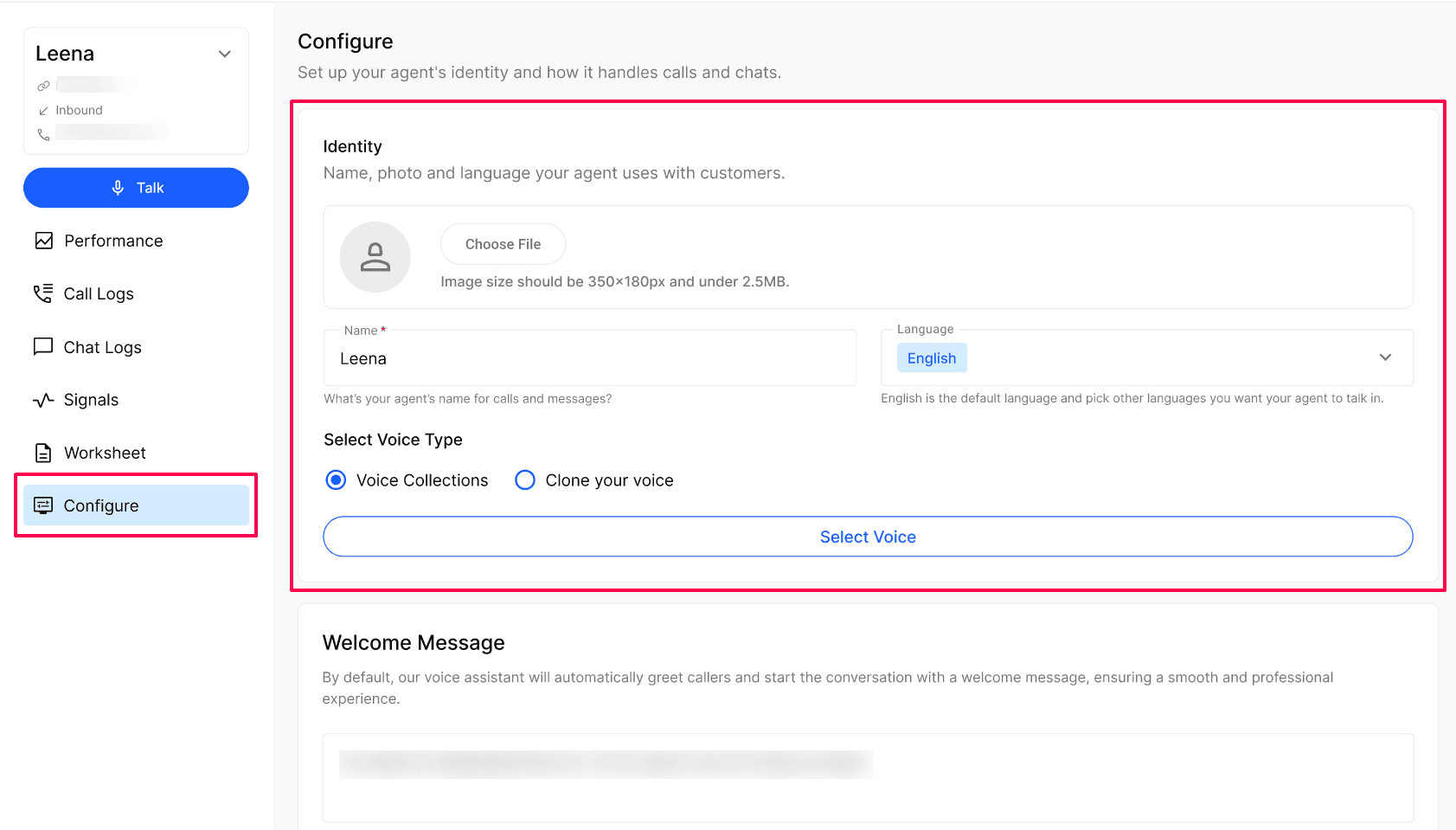
Agent Avatar — upload an image for your agent (350×180px, under 2.5MB).
Name — what the agent calls itself on calls.
Language — the languages the agent can speak.
Tone — how the agent should sound (e.g. Professional, Friendly).
Select Voice — choose Voice Library or Clone Voice. To add your own voice, follow Voice Cloning — Clone Your Voice for Your AI Agent.
Welcome Message & Call Recordings
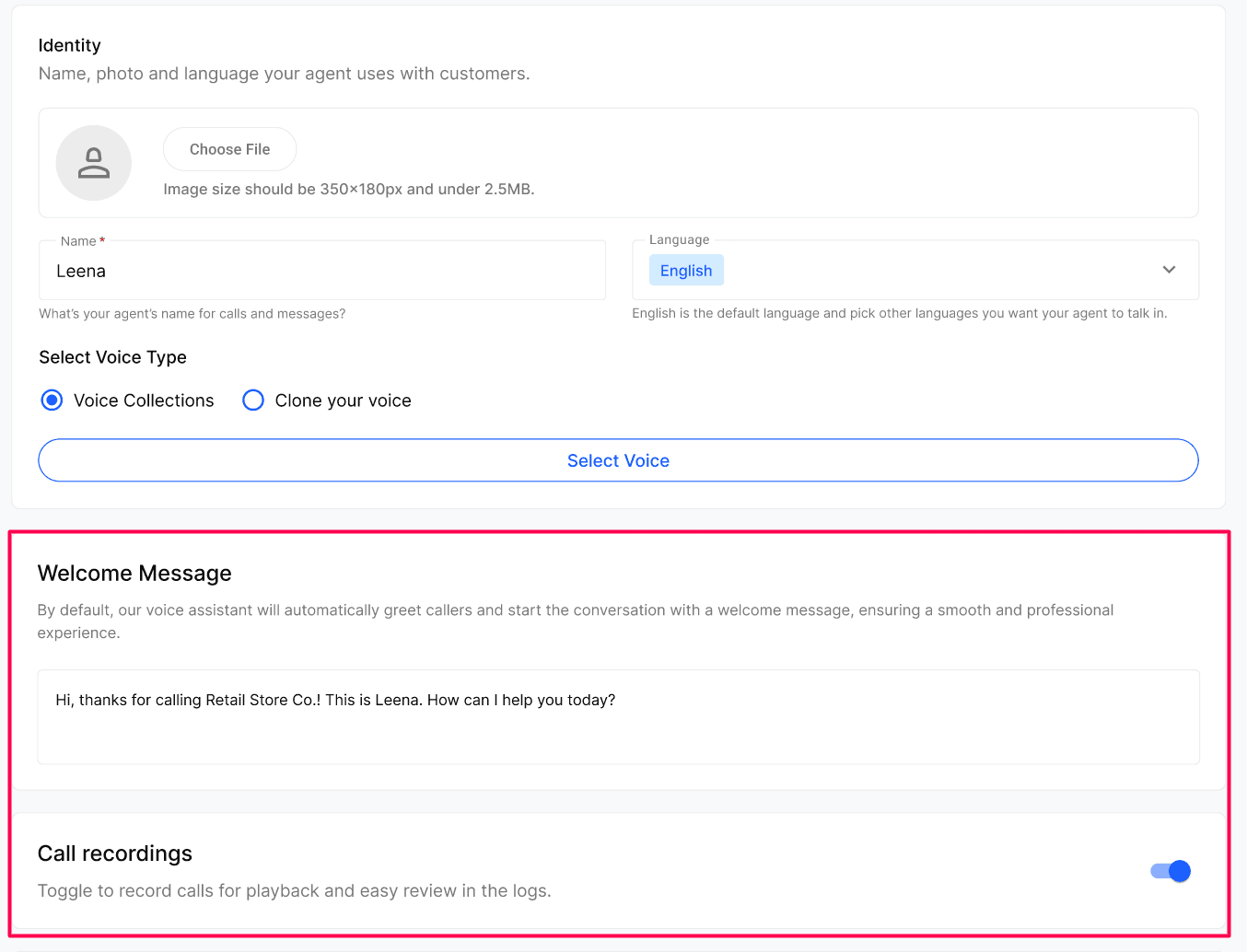
Welcome Message — the first thing the agent says when it picks up (e.g. "Welcome to Dental Clinic, which language do you prefer — English, Hindi or Punjabi?").
Call Recordings — toggle on to record calls for playback and review in Call Logs.
Opening the Agent Builder
From the bottom of Identity, click Edit Conversation Flow to open the Agent Builder — the visual canvas where you design how the agent handles each call (greeting, routing, booking, notes, transfers, end-of-call actions).
Note: If you are a direct business user and are not familiar with technical workflow configuration, do not make changes to the workflow. Contact your agency or raise a support ticket so the team can investigate and make the necessary changes.
Recommended: Always build a new agent from an existing template. Template agents come pre-loaded with a working conversation flow and default nodes, so you only need to tweak — not start from scratch.
Frequently Asked Questions
Can I change the agent name, voice or welcome message later?
Can I change the agent name, voice or welcome message later?
Yes. Update name, voice, tone and welcome message any time — changes apply to new calls immediately.
Should I build from a template or from a blank agent?
Should I build from a template or from a blank agent?
Always from a template. Blank agents have no flow and require you to wire every node yourself. Templates give you a tested baseline and let you focus on customising for your business.
Can I use my own voice instead of a stock voice?
Can I use my own voice instead of a stock voice?
Yes. Under Select Voice Type, pick Clone your voice to use a cloned voice instead of one from Voice Collections.
Do I need to turn on Call Recordings?
Do I need to turn on Call Recordings?
It's optional, but recommended — recordings make it much easier to review calls and improve the agent over time.
Related Articles
Was this helpful?
Still need help? Ask the team