Twilio
Written By Anand Raj
Last updated 3 months ago
Twilio is one of Kickcall's native telephony solutions. Connect Twilio once at the agency level instead of asking every business you manage to set up their own account. Once configured, Twilio becomes a number provider you can enable for any business — and that business can activate and use numbers directly from their own Connect Phone screen, without ever touching Twilio themselves.
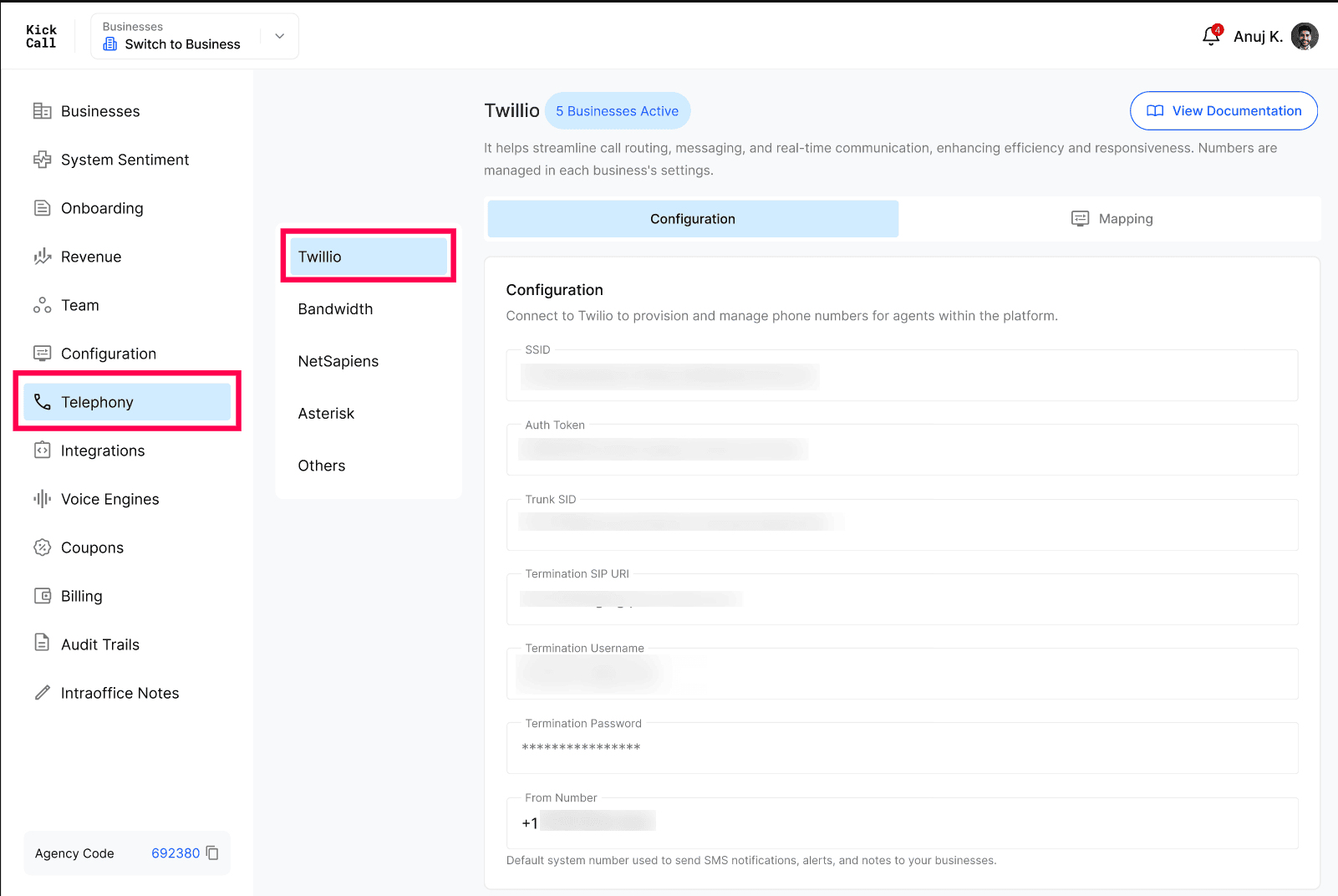
Where to find this: Agency dashboard → Telephony → Twilio. You'll also see Bandwidth, NetSapiens, Asterisk and Others alongside it — each is configured the same way, from its own tab.
Before you start
Access to the Twilio Console — with permission to view your Account SID and Auth Token, and to create SIP trunks.
A default "from" number — a phone number you're comfortable using to send SMS notifications, alerts and system notes to the businesses you manage. This is separate from any number your businesses use for their own agents.
Step 1 — Get your Twilio account credentials
From the Twilio Console, open your Account Dashboard and copy:
Account SID — this is the value Kickcall's SSID field asks for.
Auth Token — shown directly below your Account SID.
Use your primary Auth Token. Twilio's Auth Token doesn't expire on its own and stays valid until you manually rotate it — make sure you're copying your account's primary Auth Token, not a temporary or secondary credential, so the integration doesn't unexpectedly stop working. If you ever rotate it in Twilio, update it here as well.
Step 2 — Create a SIP trunk in Twilio
This trunk is what allows calls placed through Kickcall to go out through your Twilio account.
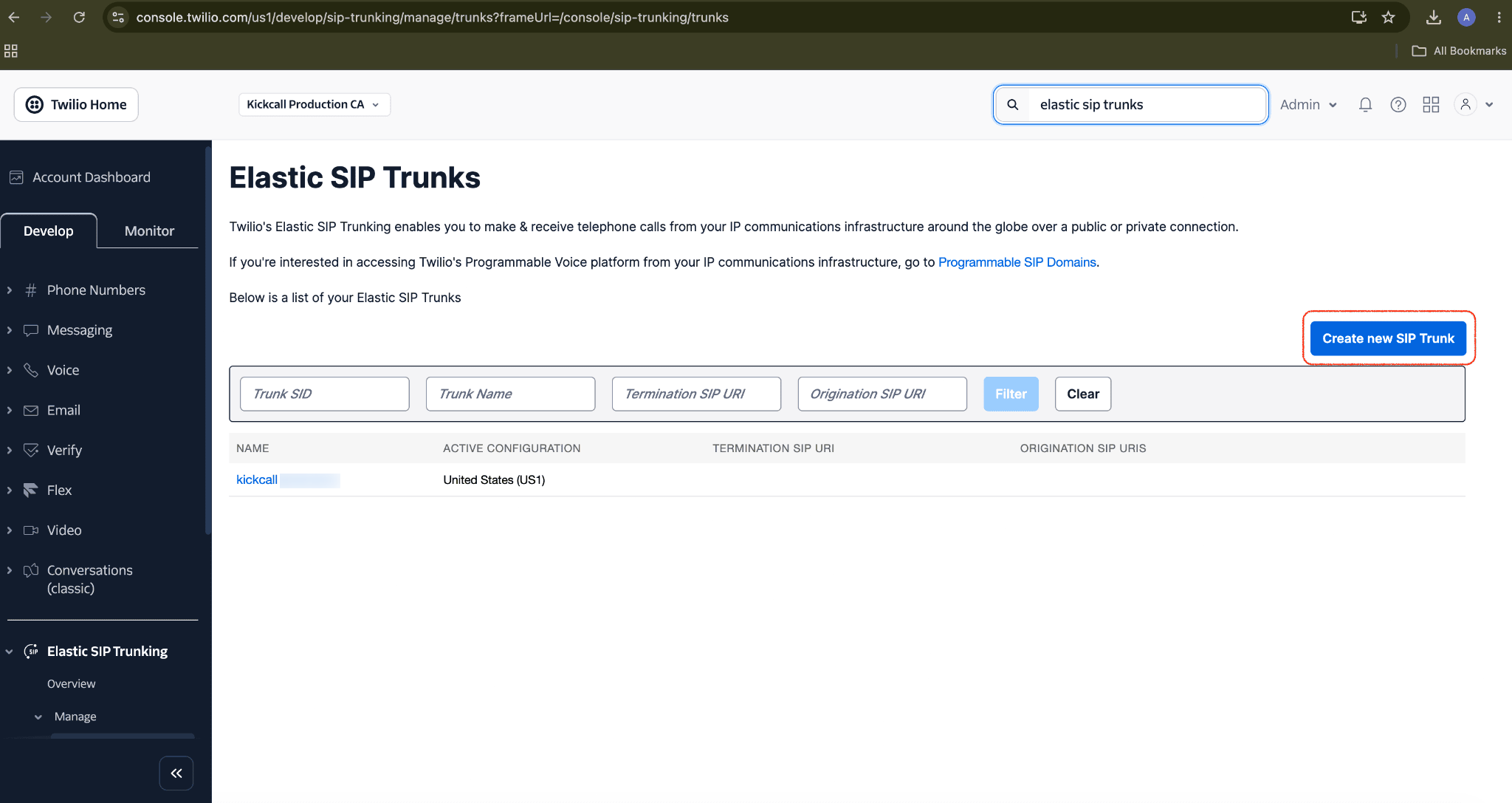
In the Twilio Console, search for Elastic SIP Trunks and click Create new SIP Trunk.
Give the trunk a recognizable name (e.g. your agency's name) and save it. This takes you to the trunk's overview page, where the Trunk SID is shown just below the trunk name — it starts with
TK. Copy it exactly.
Open the trunk and go to Termination.
Configure a Termination SIP URI (Twilio suggests one based on your trunk name) and copy it exactly.
Under Authentication, set up a Credential List with a Termination Username and Termination Password.
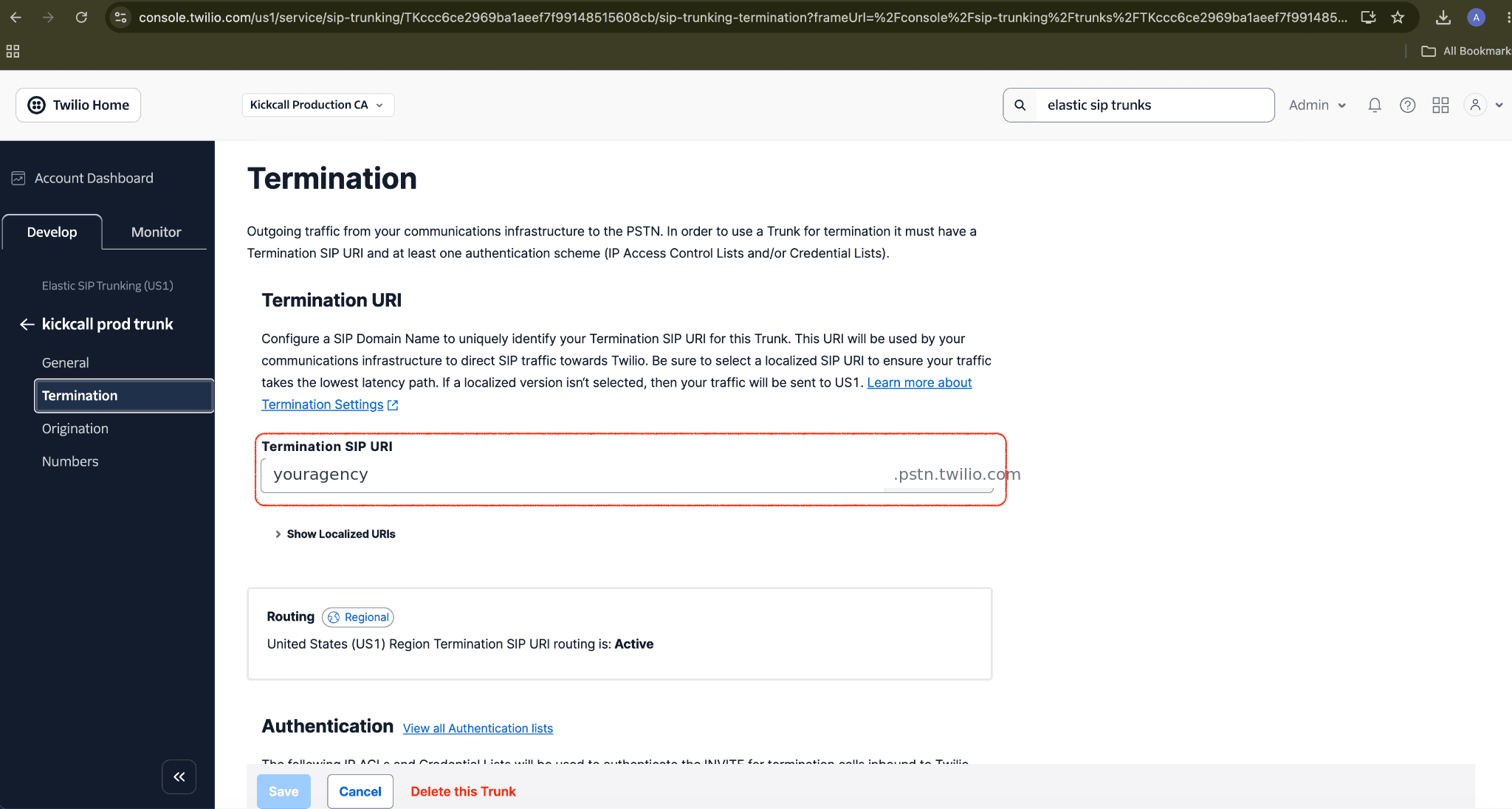
Why a Credential List: Kickcall's configuration fields ask for a Termination Username and Password, so a Credential List is the authentication method that matches — set one up on your trunk's Termination page if you haven't already.
Step 3 — Enter your Twilio details in Kickcall
Go to Telephony → Twilio → Configuration and enter each value you gathered:
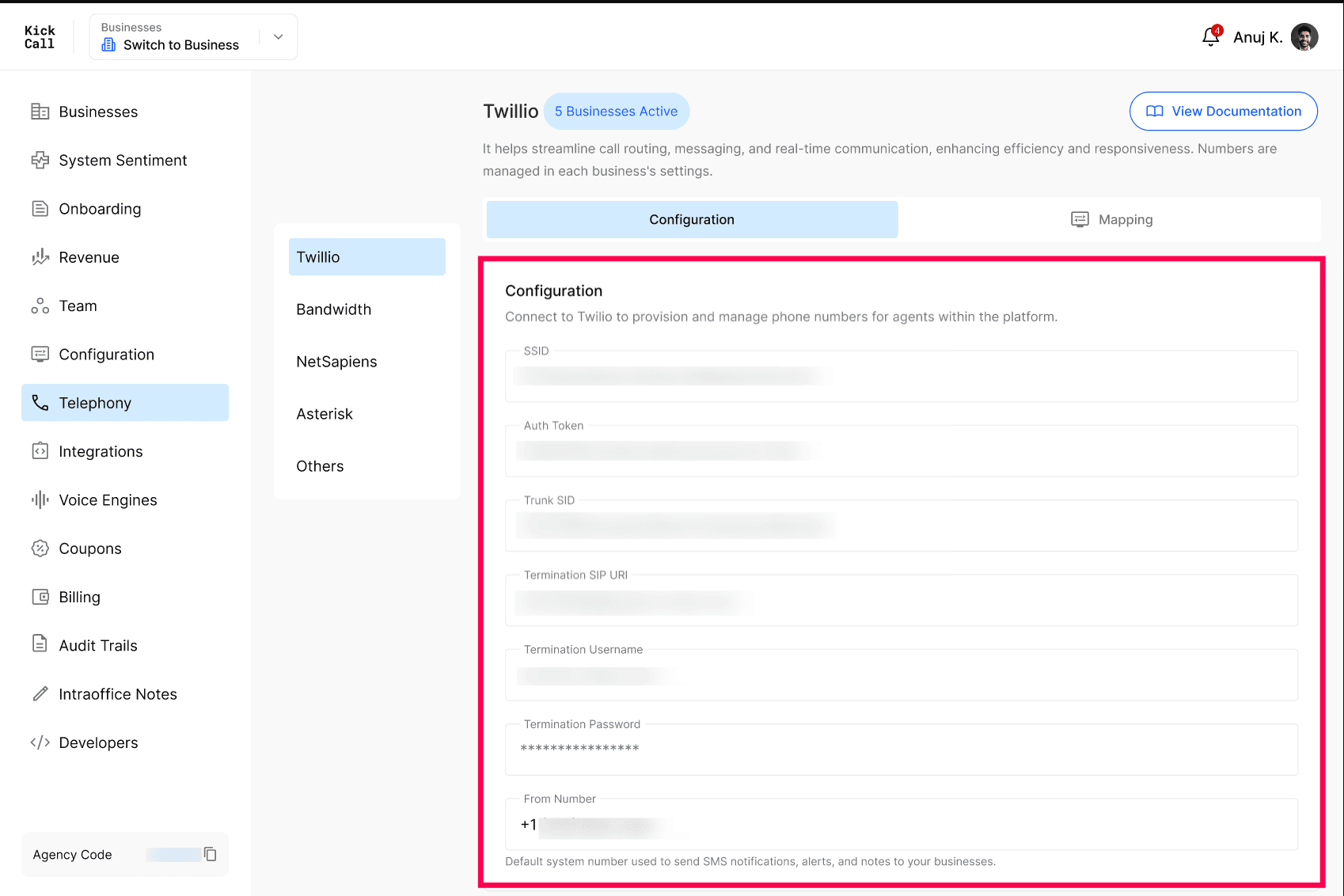
SSID — your Twilio Account SID, from the Twilio Console dashboard.
Auth Token — your Twilio Auth Token, from the Twilio Console dashboard.
Trunk SID — shown on your SIP trunk's overview page, after you create it in Step 2.
Termination SIP URI — set on your trunk's Termination page in Twilio.
Termination Username — the username from the Credential List on that Termination page.
Termination Password — the password from that same Credential List.
From Number — a number of your choice, used to send SMS notifications, alerts and system notes to the businesses you manage. Not tied to any single business's agent.
Step 4 — Customize your telephony branding (optional)
By default, businesses see "Twilio" when this integration appears on their Connect Phone screen. To show your own brand instead:
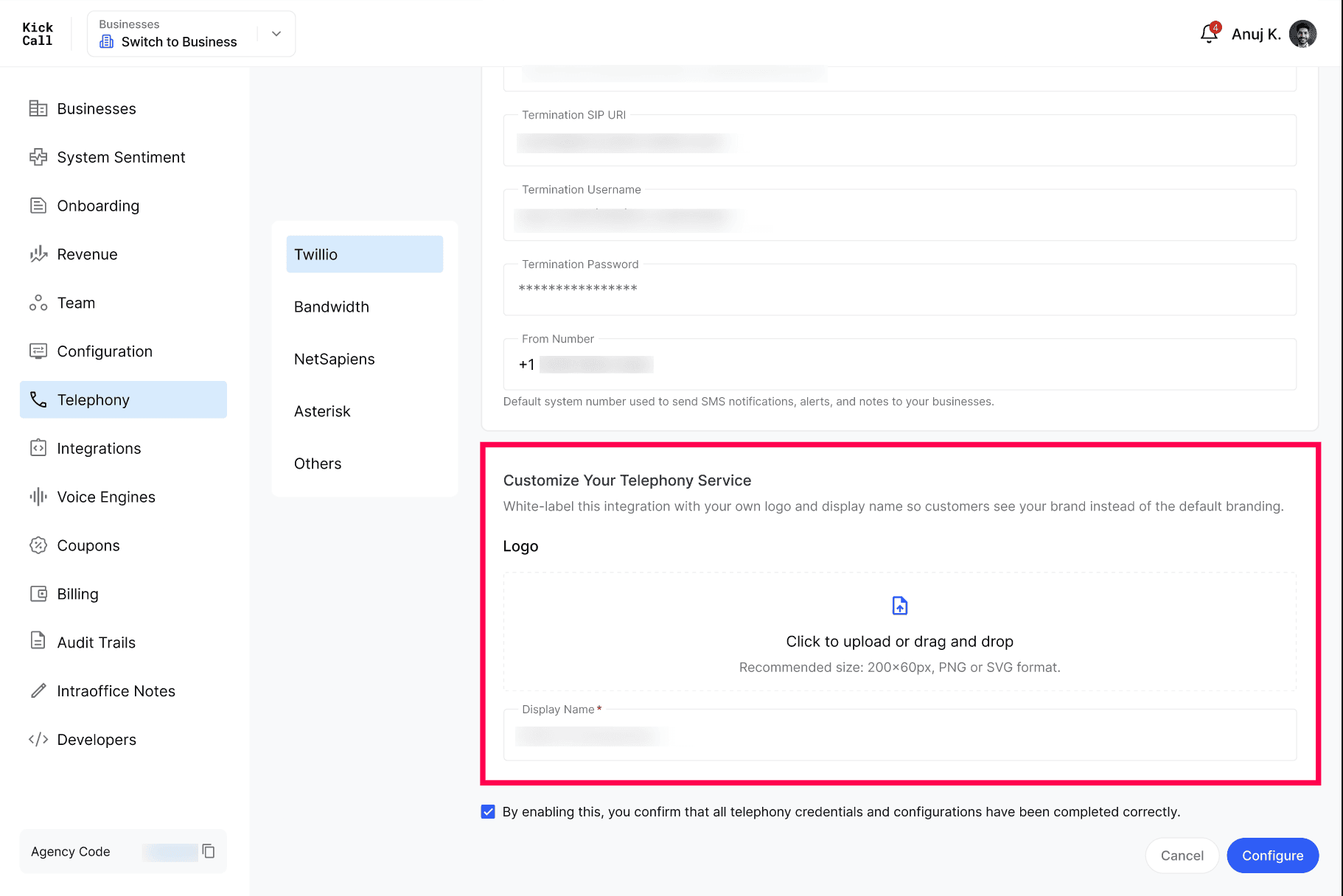
Scroll down to Customize Your Telephony Service.
Upload a Logo — recommended size 200×60px, PNG or SVG.
Enter a Display Name — this replaces "Twilio" wherever businesses see this option.
This is optional. If you skip it, businesses simply see the integration under its default Twilio branding. Nothing else about how it works changes either way.
Step 5 — Confirm and save
Check the box confirming that all telephony credentials and configurations have been completed correctly.
Click Configure to save.
Double-check before confirming. The confirmation checkbox is your acknowledgment that every credential above is correct. An incorrect Auth Token, Trunk SID or Termination detail can prevent every business using this integration from connecting calls.
Step 6 — Enable Twilio for a business
Configuring Twilio at the agency level makes it available as an option — it does not automatically turn it on for every business.
Go to Businesses in your Agency dashboard.
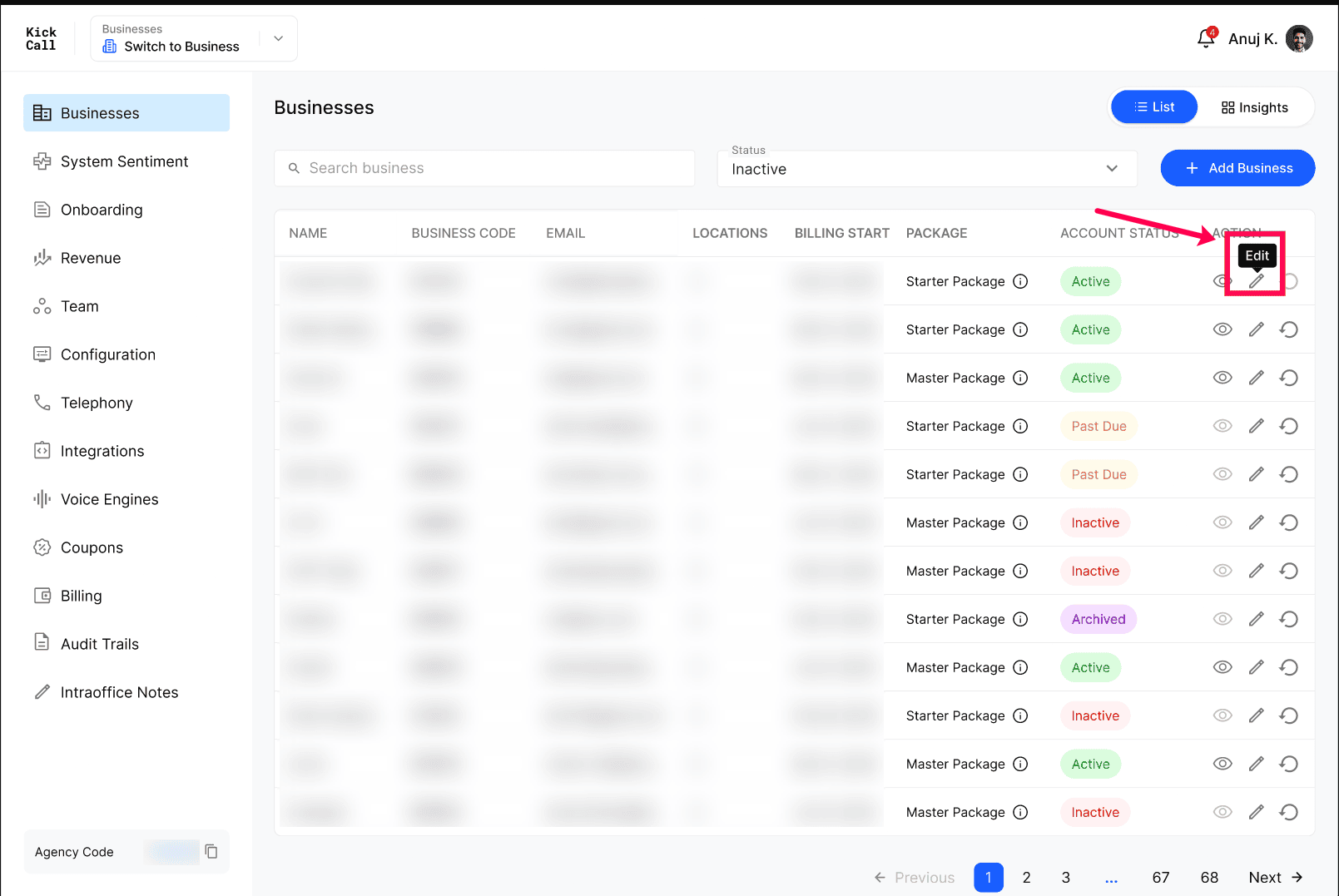
Find the business and click the Edit (pencil) icon in the Action column.
Scroll down to Telephony Services and check the box for Twilio (or your white-label display name from Step 4).
Click Update to save.
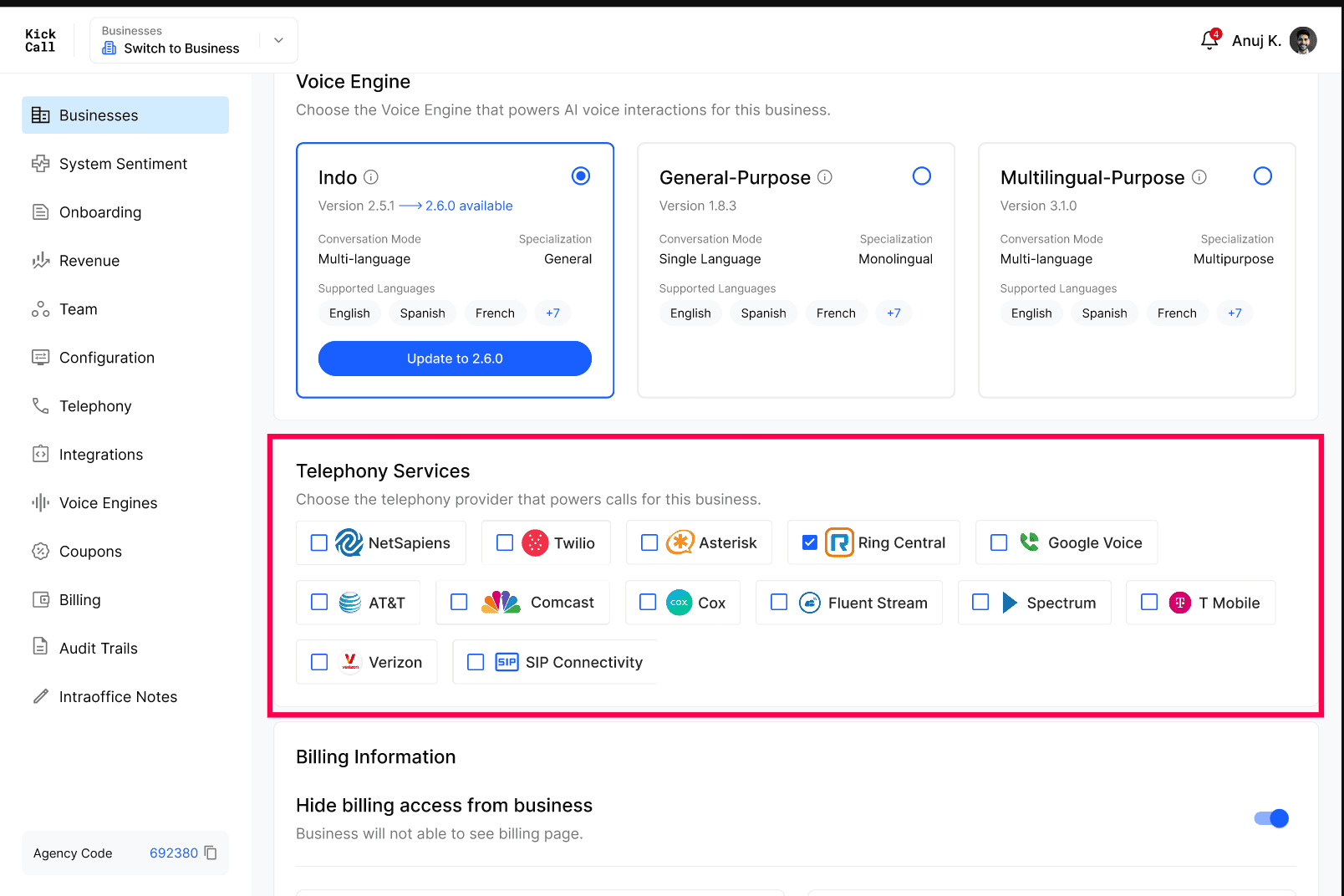
Repeat for each business. Enabling Twilio here only applies to the business you're editing — enabling it for one business does not enable it for the others.
What businesses see
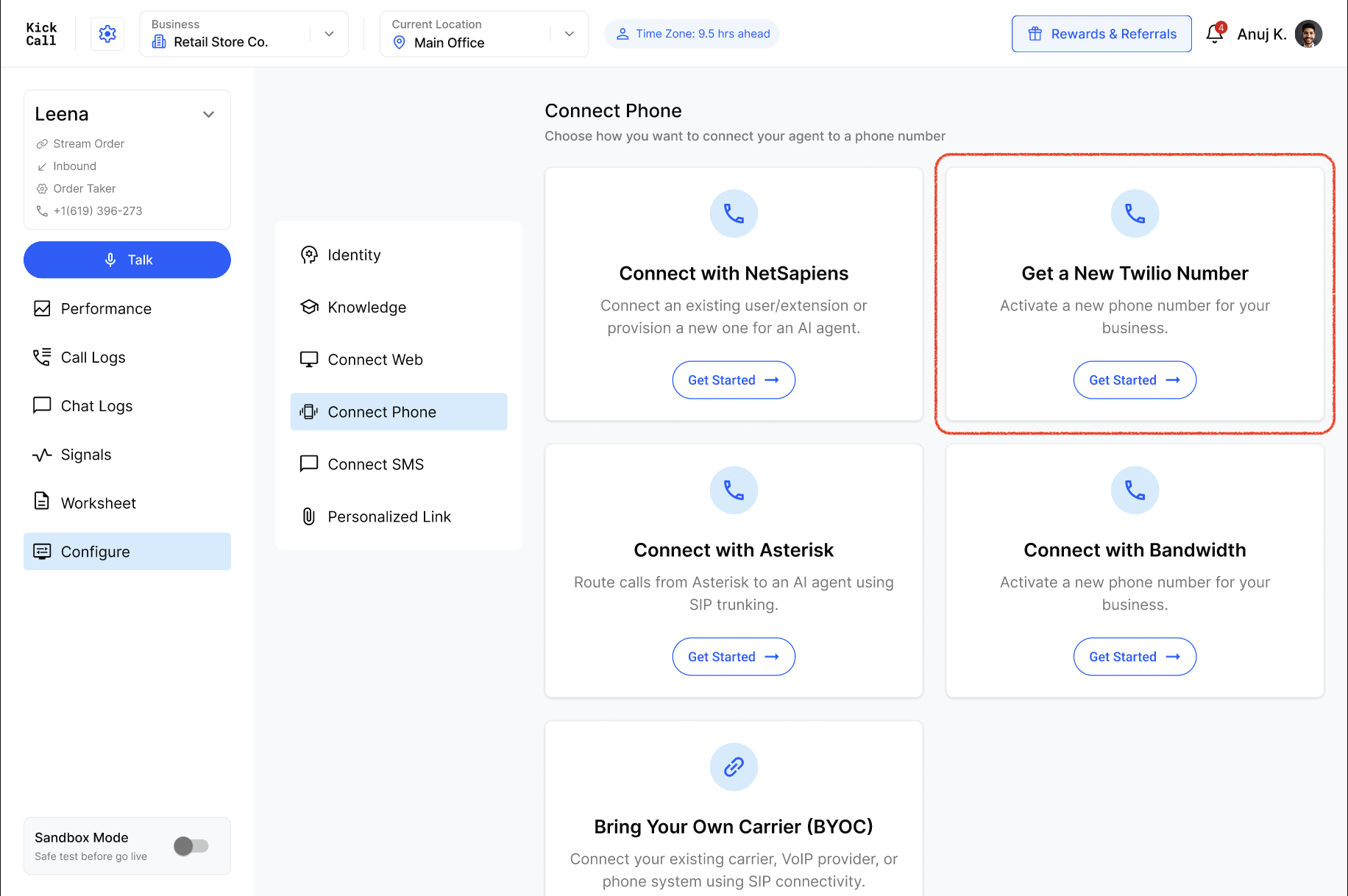
Once enabled, the business can select this integration from their own Connect Phone screen and activate a number, the same way they would with any other native provider — with no Twilio account or technical setup on their end. If you added a logo and display name, that's what they see instead of the default Twilio branding.
Frequently Asked Questions
Do the businesses I manage need their own Twilio account?
Do the businesses I manage need their own Twilio account?
No. Once you've connected Twilio at the agency level, every business you enable can provision numbers through it directly — they never need to create a separate Twilio account.
Does connecting Twilio at the agency level turn it on for every business?
Does connecting Twilio at the agency level turn it on for every business?
No. It makes Twilio available as an option, but each business must be enabled individually. Go to Businesses, click the Edit icon for that business, and check the Twilio box under Telephony Services (Step 6). Repeat for every business you want to give access to.
Does the Auth Token expire?
Does the Auth Token expire?
No. Twilio's Auth Token stays valid until you manually rotate it in the Twilio Console. If you do rotate it, update the value in Kickcall as well, or the integration will stop working.
What is the From Number used for?
What is the From Number used for?
It's the default number Kickcall uses to send SMS notifications, alerts and system notes to the businesses you manage. It's separate from any number a business's agent uses to handle calls.
What happens if I skip the white-label branding step?
What happens if I skip the white-label branding step?
Nothing breaks — the integration works exactly the same. Businesses just see it listed under the default Twilio name and branding instead of your own.
Can I update these details later?
Can I update these details later?
Yes. Return to Telephony → Twilio → Configuration at any time to update your credentials, trunk details or branding.
Can I connect Bandwidth, NetSapiens or Asterisk the same way?
Can I connect Bandwidth, NetSapiens or Asterisk the same way?
Yes. Each provider has its own tab under Telephony, configured independently. Refer to that provider's own setup guide for its specific fields.
More in Telephony
Was this helpful?
Still need help? Ask the team