Configure Tolt
Written By Maruf Ansari
Last updated 3 months ago
Tolt is an affiliate-program platform. Activating Tolt inside Kickcall lets you track referrals, monitor affiliate performance and automate commission payouts end-to-end.
Beta: The Tolt integration is currently in Beta. Expect rapid improvements — please share feedback if anything looks off.
What you get
Manage your affiliate program directly from one place.
Track which signups and businesses came from which affiliate.
Automate commission calculation based on customer payments.
Every business is auto-registered in Tolt once the integration is configured — no manual signup needed.
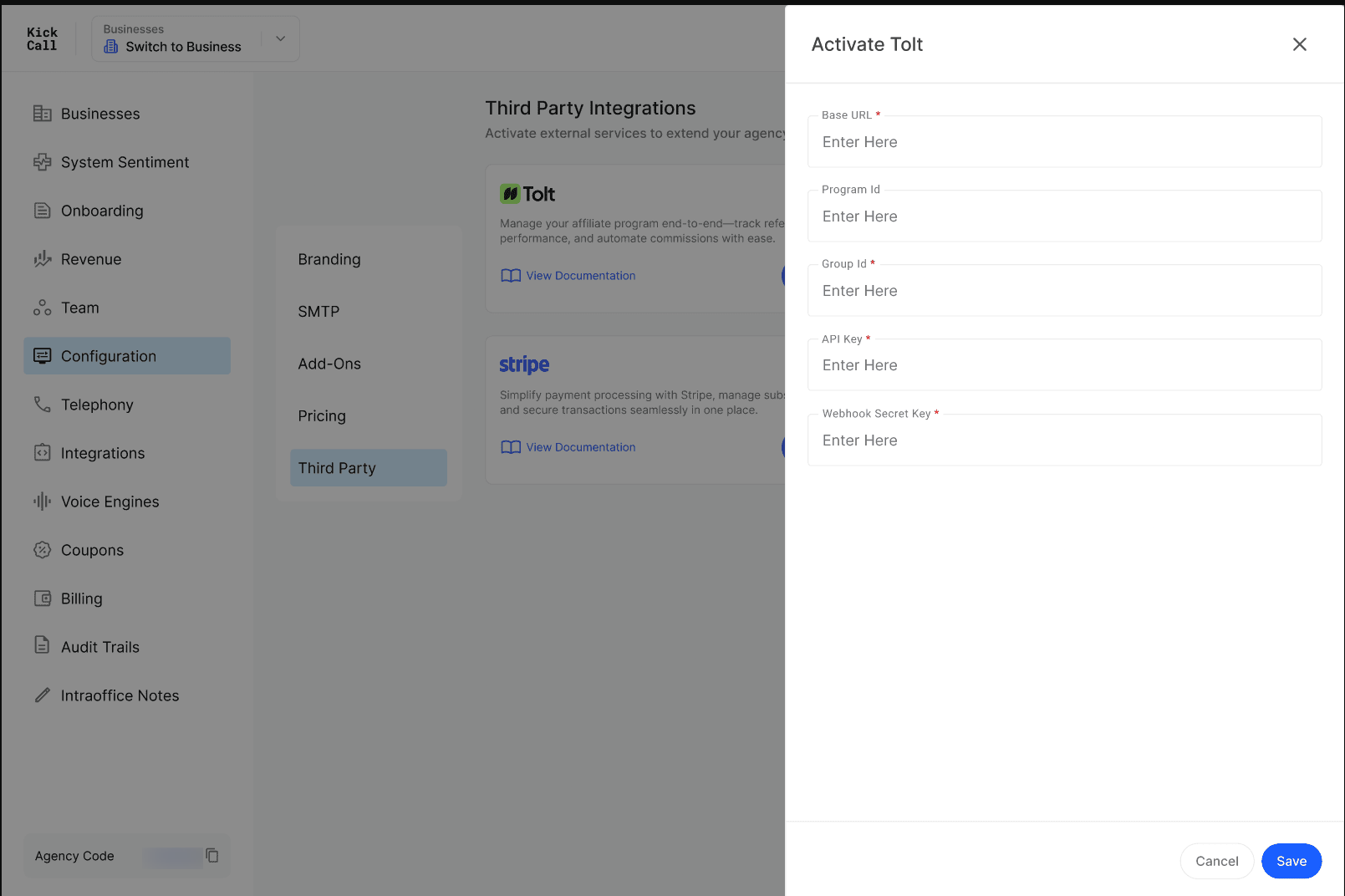
Activate Tolt
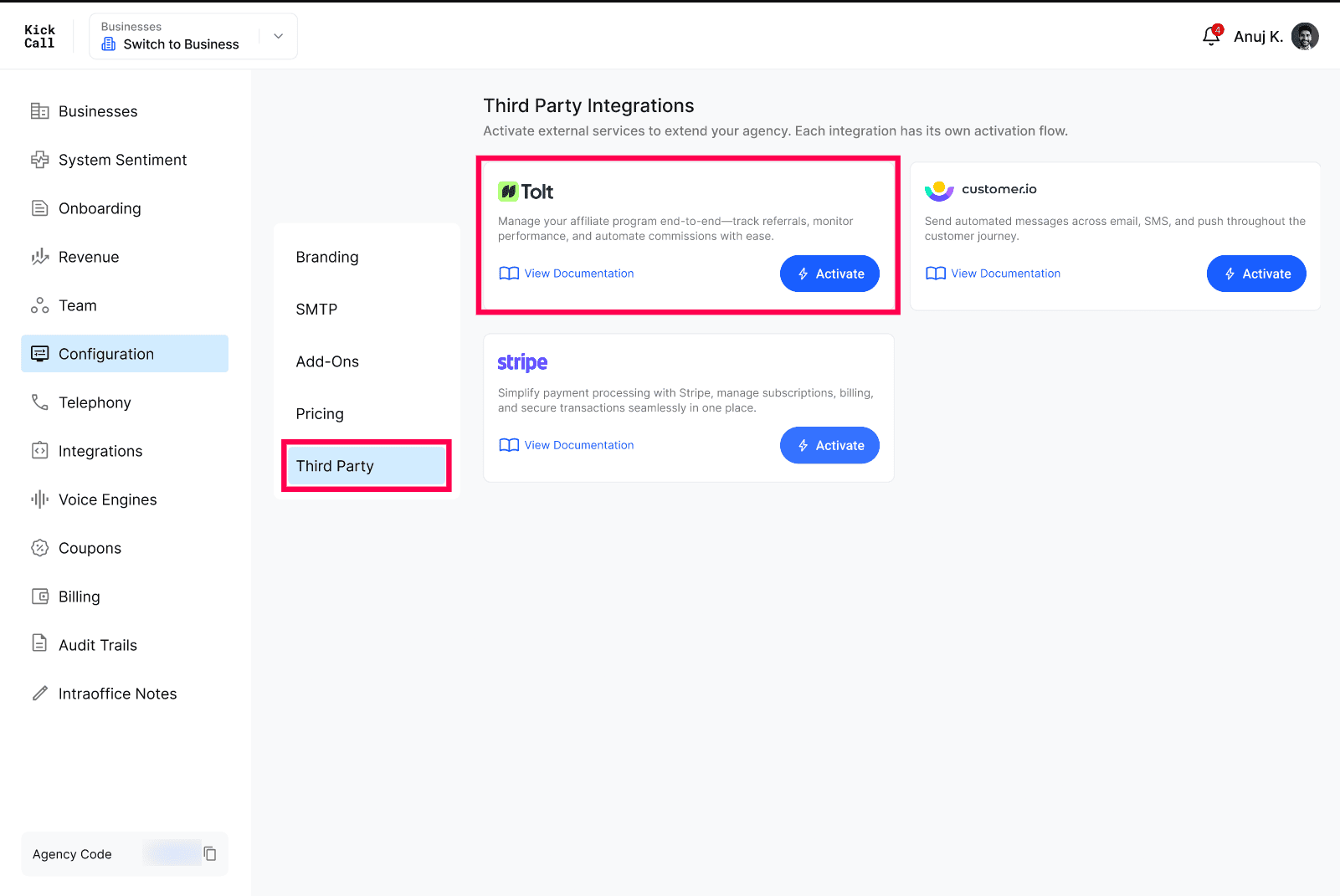
Open Configuration → Third Party.
On the Tolt card, click Activate.
Follow the activation flow to connect your Tolt account (you'll need a Tolt account and your program API key).
Use View Documentation on the card for the latest setup steps from Tolt's help center.
What businesses see after activation
Once Tolt is configured, every business under your Agency is automatically registered as an affiliate in Tolt. A Refer & Earn button appears in the business portal header — businesses click it to copy their referral link and start referring others.

Frequently Asked Questions
Do I need a Tolt account first?
Do I need a Tolt account first?
Yes. Create your affiliate program in Tolt before activating it here — you'll connect Kickcall to that program.
Do businesses need to sign up in Tolt manually?
Do businesses need to sign up in Tolt manually?
No. Once you configure Tolt at the Agency level, all businesses are registered automatically and the Refer & Earn link shows up in their header.
How are referrals tracked?
How are referrals tracked?
Tolt's tracking is wired into your onboarding and signup flows so any signup originating from an affiliate link is attributed to that affiliate automatically.
Can I deactivate Tolt later?
Can I deactivate Tolt later?
Yes. You can disconnect Tolt at any time from the Third Party page. Past attribution data remains in your Tolt account.
More in Third Party:
Was this helpful?
Still need help? Ask the team