Worksheet — Capture & Store Call Data in Custom Tables
Written By Anand Raj
Last updated About 2 months ago
Worksheet is your business's structured data store inside Kickcall. It's where the AI agent writes everything it captures from a call — notes, administrative queries, appointment outcomes, or any custom field your business needs to track. Think of it as a spreadsheet that the agent fills in automatically while talking to your callers.
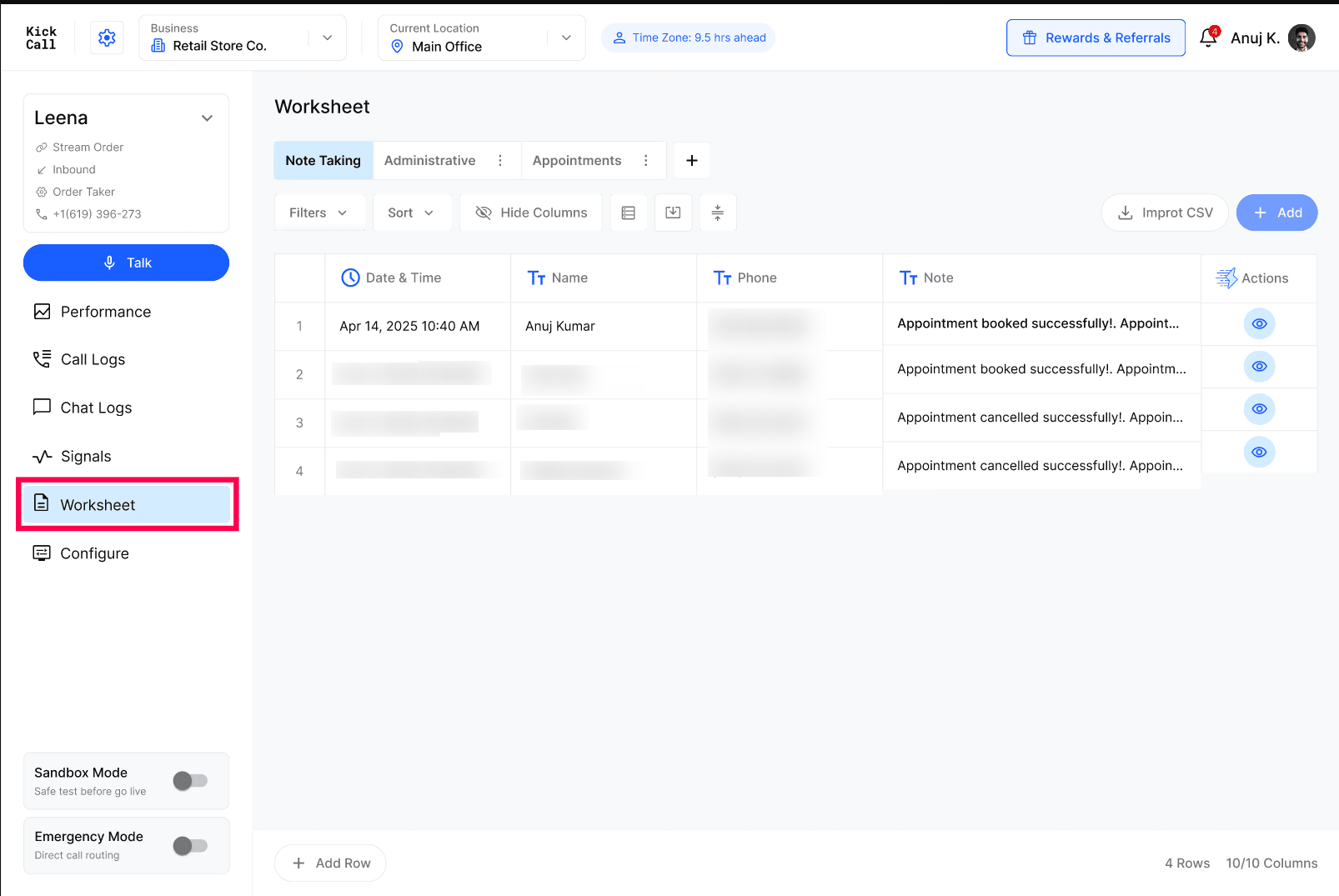
What is a Worksheet?
A Worksheet is a configurable table attached to your agent. You can create multiple worksheets for different scenarios — for example one for Note Taking, one for Administrative queries, one for Appointments — and the agent decides which worksheet to write to based on how it's wired in the Agent Builder (Note Taking and Custom Task nodes).
Each worksheet has its own columns. The defaults are Date & Time, Name, Phone and Note, and you can add as many custom columns as you need.
Default Worksheet: Every time you create a new agent, Kickcall automatically provisions a Note Taking worksheet for that agent — so the agent has a place to write notes from day one, with no extra setup. You can rename it, add columns, or create additional worksheets at any time.
Adding Columns
Use Add → Column in the worksheet toolbar to create a new column. Pick a Type, give it a Name, and save it with Create.
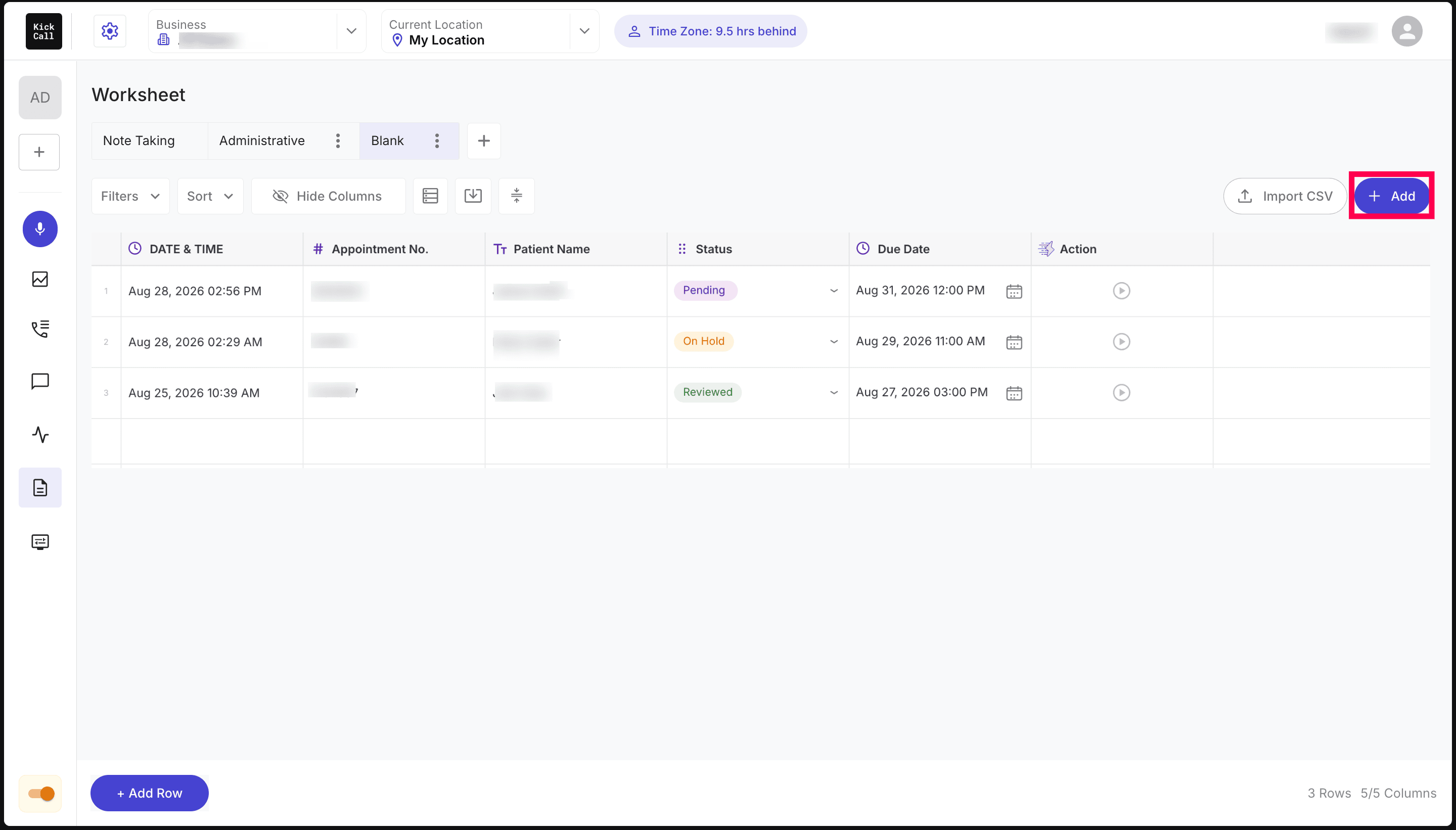
There are four column types:
Text — free text. This is the only type the AI agent can write to. Along with the Name, you add a Description explaining what the attribute represents, the value it should contain and the expected format — the agent uses this description to collect and write the value during the conversation. You can also switch on Required Field, which makes the agent collect that value before it marks the agent action as completed or writes the row to the worksheet.
Number — numeric values only. Just a Name is needed; the cell accepts nothing but numbers.
Single Select — a dropdown, exactly like a single-select list in a spreadsheet. Add your Options, each with an Option Label and a Color (Green, Purple, Red, Blue, Yellow, Orange or Grey). Options can be reordered, added or removed. In the grid the chosen option shows as a coloured chip, and Clear empties the cell.
Date & Time — a date and time picker. Pick a date from the calendar and an hour/minute/AM-PM value, then confirm with OK (or Clear to empty it). The cell simply displays the selected date and time.
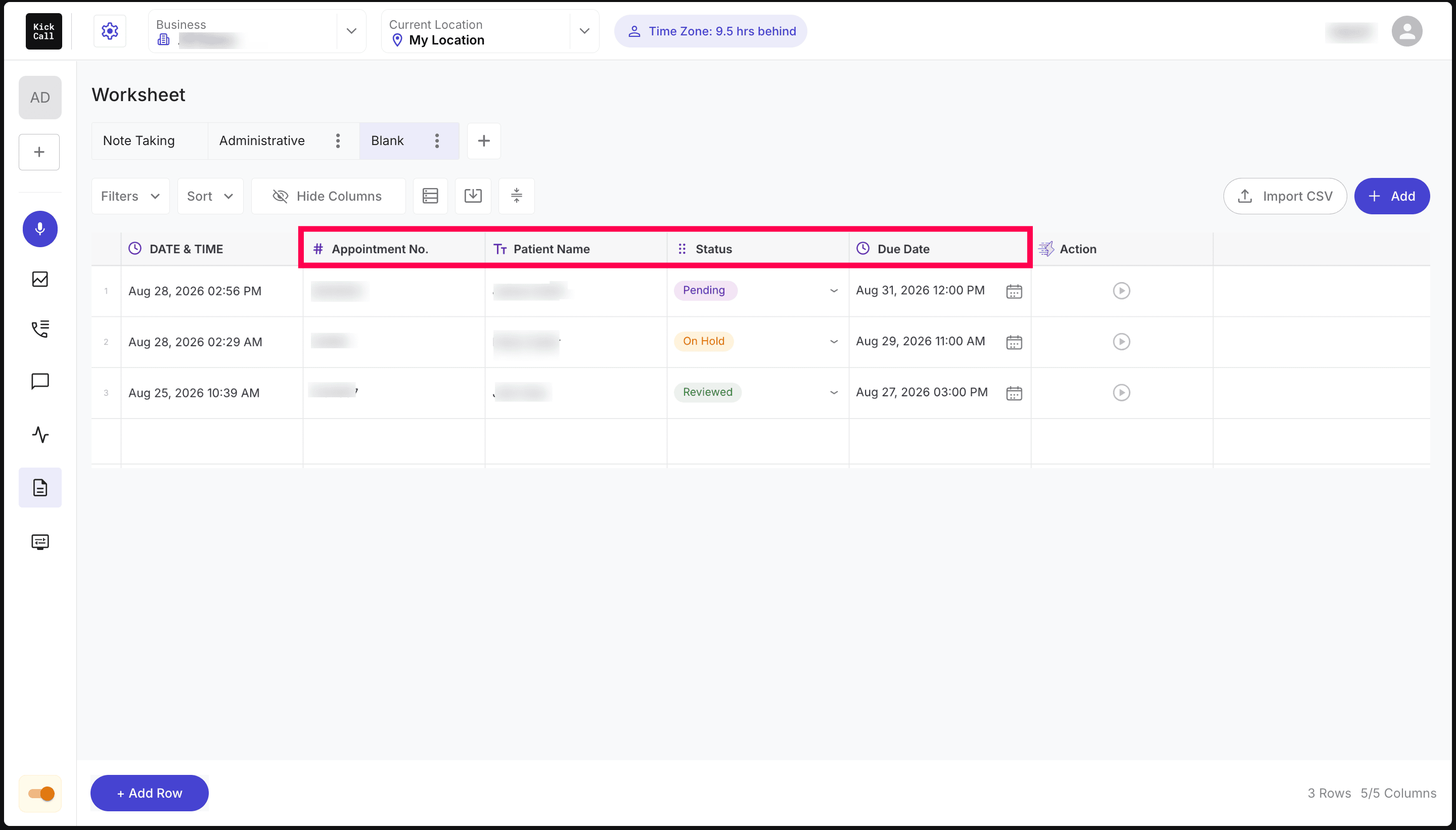
Important: Only Text columns are filled by the AI agent. Number, Single Select and Date & Time columns are entirely manual today — the agent will never write to or update them. They exist so your team can work the worksheet after the call: tag statuses, log amounts, schedule follow-ups.
Default Worksheet: Every time you create a new agent, Kickcall automatically provisions a Note Taking worksheet for that agent — so the agent has a place to write notes from day one, with no extra setup. You can rename it, add columns, or create additional worksheets at any time.
Best Use Cases Today
The strongest current use cases for Worksheets are:
Note Taking — capture freeform notes the agent collects on the call (lead details, complaints, follow-ups).
Administrative Queries — log questions or requests the agent couldn't fully handle so a human can follow up.
Any structured data from the call — order details, patient info, address, preferred callback time, etc. If you can describe the column, the agent can fill it.
Managing Rows
From the Worksheet view you can:
Filter, Sort and Hide Columns to focus on the rows that matter.
Import CSV to bulk-load existing records.
Add rows manually, or let the agent add them automatically during calls.
Open any row to view the full details and the call it came from.
Roadmap note: Worksheet is designed with a strong vision toward post-call automation — turning each captured row into the trigger for follow-up SMS, emails, CRM syncs and workflows. We're actively building this out and are open to enhancement requests from agencies and businesses using it today.
Frequently Asked Questions
What is a Kickcall Worksheet?
What is a Kickcall Worksheet?
A Kickcall Worksheet is a configurable table attached to an AI agent where the agent stores structured data captured during calls — notes, administrative requests, appointment details, or any custom field your business defines. It works like a spreadsheet the agent fills in automatically.
Can I create more than one Worksheet for a single Kickcall agent?
Can I create more than one Worksheet for a single Kickcall agent?
Yes. You can configure multiple Worksheets for one agent and use them for different scenarios (e.g. Note Taking Worksheet, Administrative Worksheet, Appointments Worksheet). Each Note Taking or Custom Task node in the Agent Builder writes to the Worksheet you assign it.
Can I add my own custom columns to a Worksheet?
Can I add my own custom columns to a Worksheet?
Yes, you can add as many custom columns as you need using Add → Column. Choose a type (Text, Number, Single Select, Date & Time), name the column and create it.
Which column types can the AI agent fill in?
Which column types can the AI agent fill in?
Only Text columns. Number, Single Select and Date & Time columns are manual today — the agent will not write to or update them. They're there so your team can work the row after the call.
What should I write in a Text column's description?
What should I write in a Text column's description?
Describe what the attribute represents, the value it should contain and the expected format. The agent reads that description when the Worksheet is attached to an agent action, and uses it to collect and write the value during the conversation.
What does the Required Field toggle do?
What does the Required Field toggle do?
When it's on, the agent must collect that attribute's value before it marks the agent action as completed or writes the data to the Worksheet.
What can I put in a Number column?
What can I put in a Number column?
Numbers only — the column won't accept text or symbols. Use it for amounts, quantities, invoice numbers and similar values.
How does a Single Select column work?
How does a Single Select column work?
It behaves like a single-select dropdown in a spreadsheet. You define the options up front, each with a label and a colour (Green, Purple, Red, Blue, Yellow, Orange or Grey), and pick one per row. Clear empties the cell.
What does the Date & Time column do?
What does the Date & Time column do?
It opens a calendar and time picker so you can select a date and time, then confirm with OK. The cell displays whatever you selected — nothing is calculated or filled in automatically.
How does the Kickcall agent decide what to write into a Worksheet?
How does the Kickcall agent decide what to write into a Worksheet?
The agent uses the Note Taking and Custom Task nodes you configure in the Agent Builder. Each node points to a specific Worksheet and lists the columns the agent must collect and write into that Worksheet.
Do I have to set up a Worksheet before my Kickcall agent can take notes?
Do I have to set up a Worksheet before my Kickcall agent can take notes?
No. When you create a new Kickcall agent, a default Note Taking Worksheet is automatically created for that agent so it can start capturing notes immediately. You can rename it, customize columns, or add more Worksheets later.
Does Kickcall Worksheet support post-call automation today?
Does Kickcall Worksheet support post-call automation today?
Worksheet is designed to power post-call automation (follow-up SMS, emails, CRM sync, custom workflows triggered per Worksheet row). The full automation layer is on the active roadmap — if you have a specific use case, send us an enhancement request and it will be considered for the next Worksheet iteration.
Can I add rows to a Worksheet manually instead of through a call?
Can I add rows to a Worksheet manually instead of through a call?
Yes. Use the Add or Add Row buttons in the Worksheet to enter records manually. This is useful for backfilling history or testing the Worksheet structure before going live.
Was this helpful?
Still need help? Ask the team