Knowledge — The AI Agent's Business Memory (Q&A, Web, Documents)
Written By Anand Raj
Last updated 5 months ago
Knowledge is the AI Agent's Business Memory — everything the agent knows about your business: services, policies, pricing, FAQs, processes. This is different from the agent's Caller Memory (what the agent remembers about individual callers across conversations), which lives in its own module.
You can feed business memory to the agent in four formats: Q&A, Web, Documents, and Business Knowledge (shared across multiple agents). Of these, Q&A is by far the most reliable and should be your primary source of truth.
Important: If the knowledge base is not configured properly, the agent will not perform well and won't be able to answer your business-related queries. Clean, clear, non-duplicated knowledge is what keeps the agent accurate and prevents hallucinations.
How knowledge gets into the agent
Auto-filled from onboarding — the first time your agent is set up, knowledge is pre-populated from your onboarding form responses. After that, you maintain it from here.
AI Recommendation Center — the system continuously suggests missing questions based on real call traffic. When you accept a recommendation, it is automatically added to your Q&A.
Manual edits — you can add, edit or delete entries in any of the four tabs at any time.
Do not add business hours or staff hours to the knowledge base. The agent pulls business hours directly from Locations and staff hours from your connected practice software / integration. Duplicating them here causes conflicts.
Q&A — the primary format
Q&A is a list of question and answer pairs. This is what the agent retrieves from most reliably — short, direct, unambiguous.
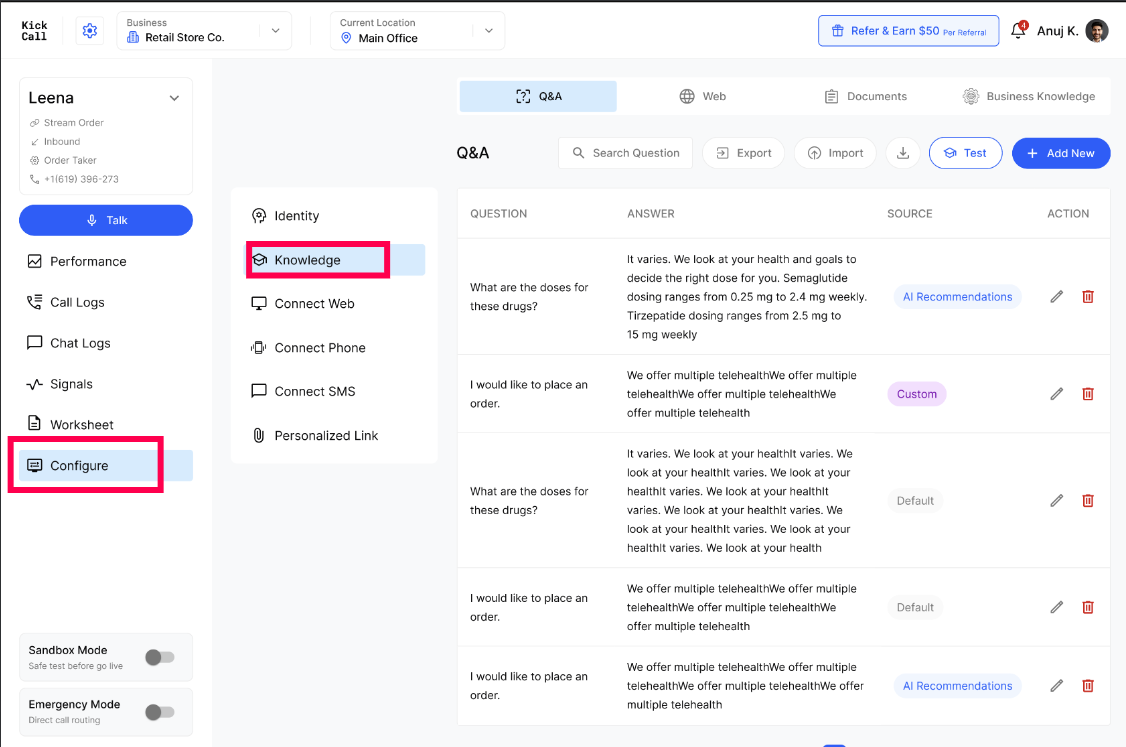
Each Q&A entry shows where it came from:
Default — seeded from onboarding.
Custom — added or edited by your team.
AI Recommendations — accepted from the AI Recommendation Center.
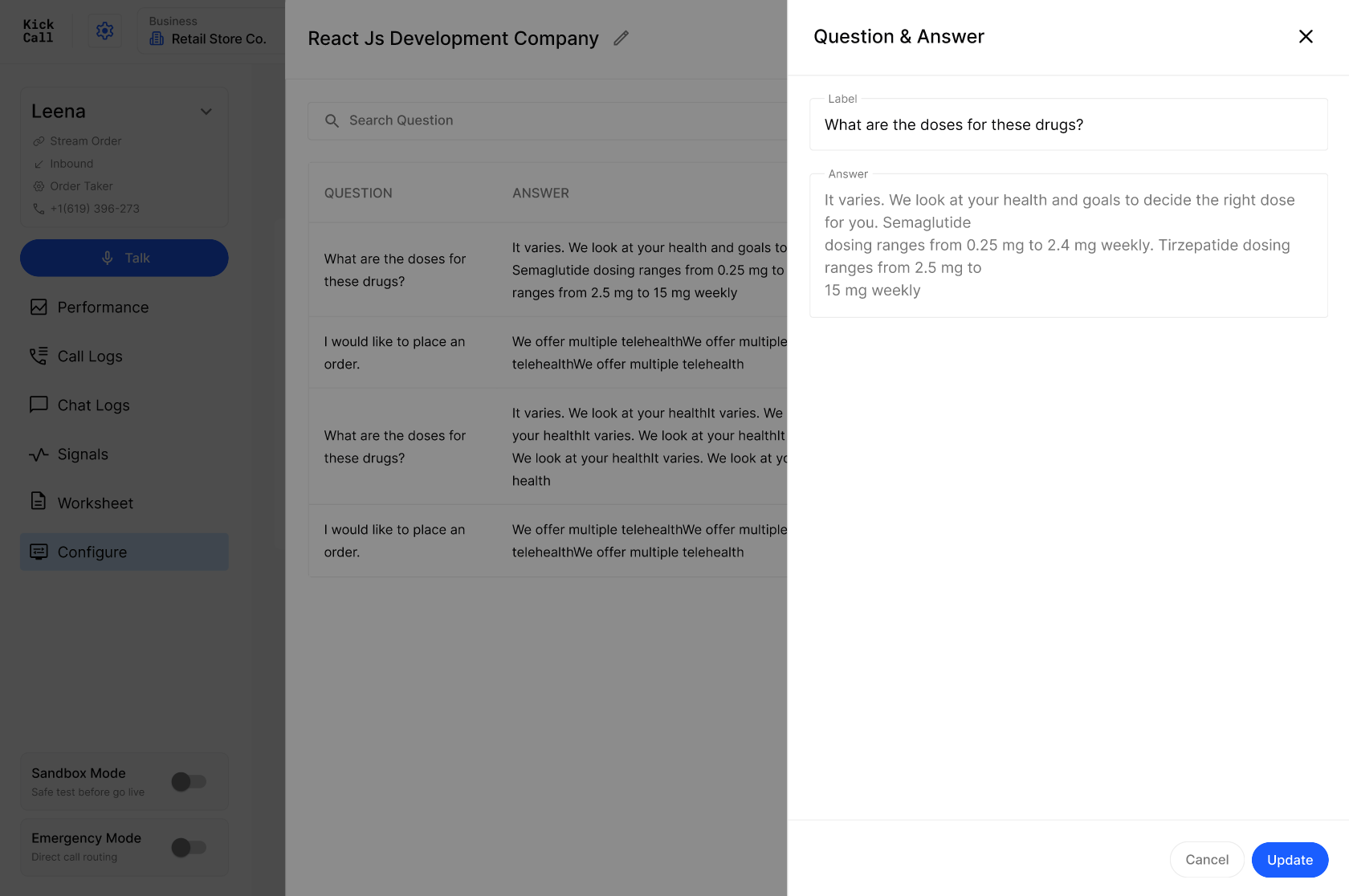
Click any row to edit the Label (the question) and the Answer. Keep answers short, factual and free of marketing fluff.
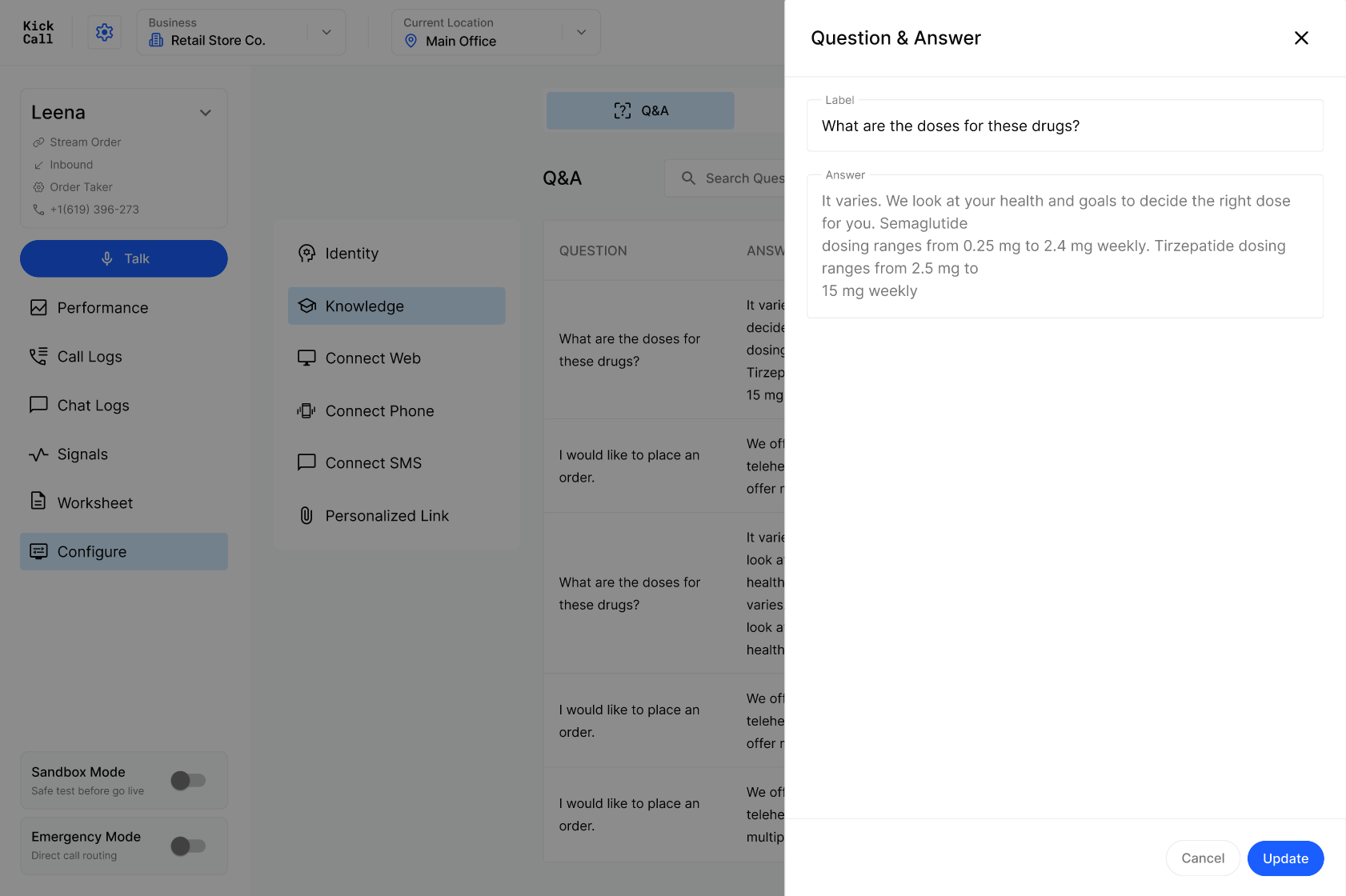
You can also Import and Export Q&A in bulk — useful when migrating from another system or doing a large clean-up in a spreadsheet.
Web — pull knowledge from your website
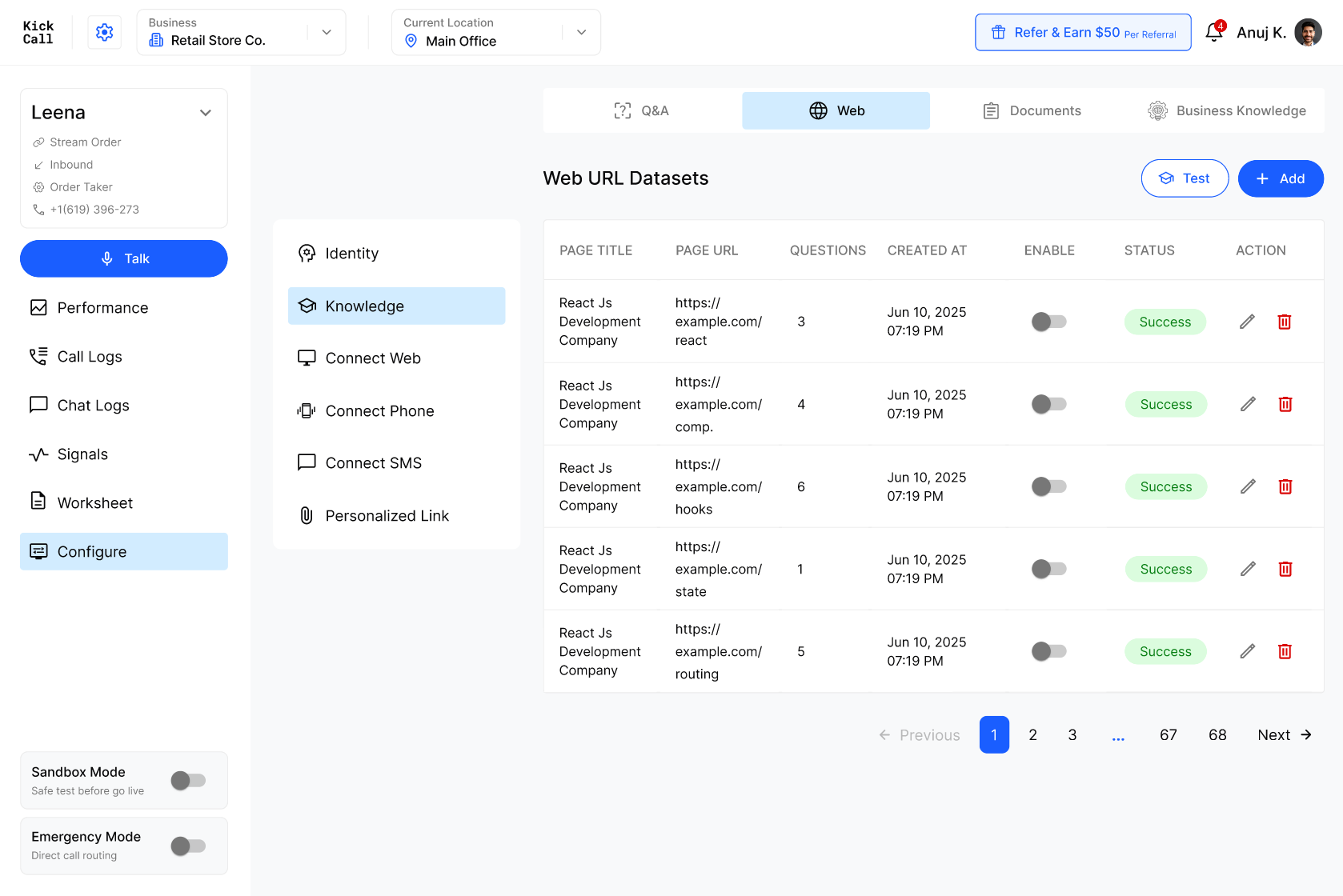
Add public URLs from your website and the agent will scrape them and convert the content into searchable chunks.
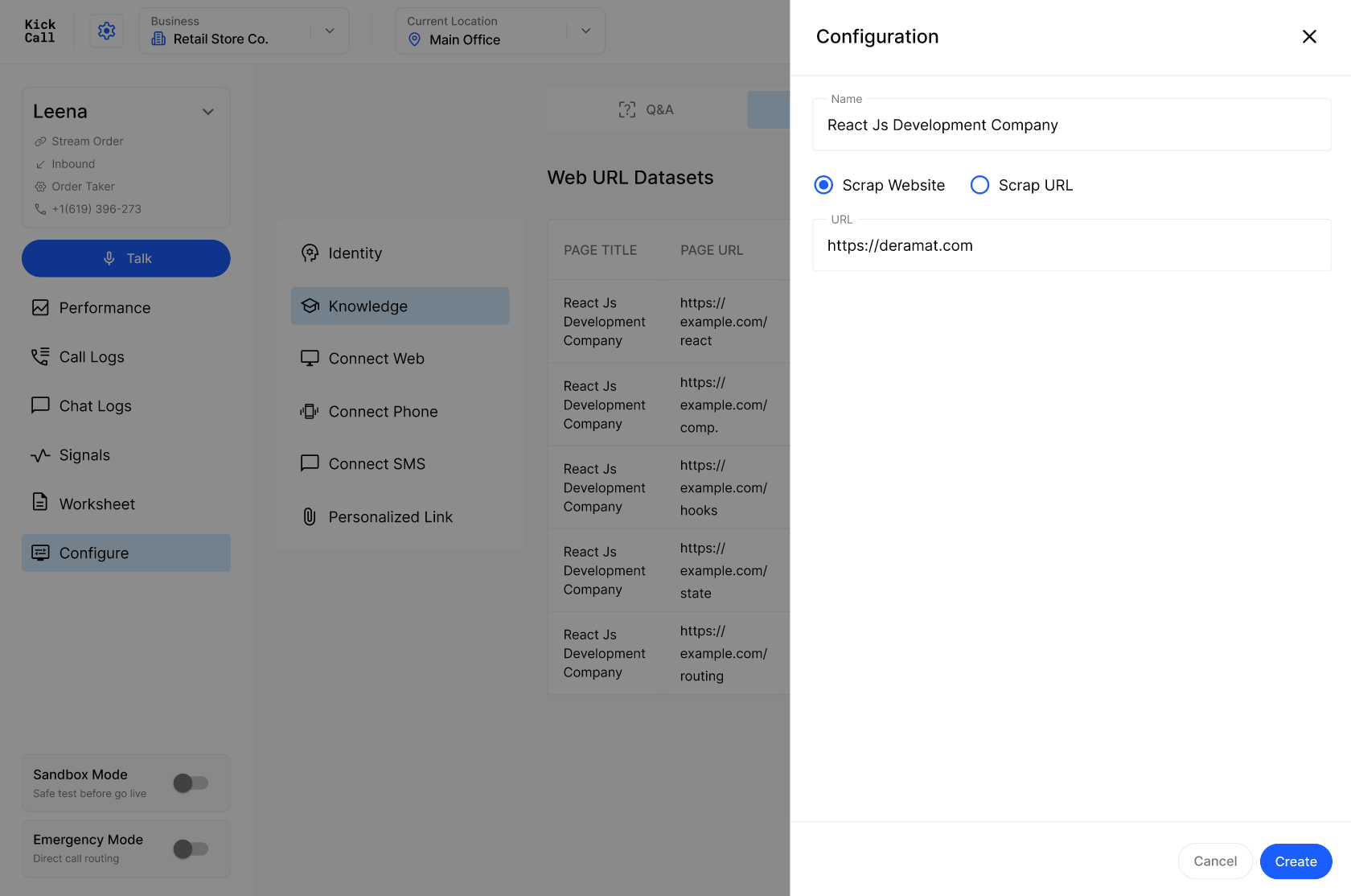
When adding a source you can choose:
Scrap Website — crawls multiple pages starting from the URL. The system reads each page and automatically generates Q&A pairs from its content, grouped under that page. This makes it easy to maintain and to see exactly which question came from which page.
Scrap URL — pulls only that single page and generates Q&A from it.
You can also edit individual scraped questions to refine the answer the agent will use.
Use the Enable toggle to turn a source on or off without deleting it — handy when a page is temporarily out of date.
Documents — upload reference files
Upload PDFs, policies, price sheets, service menus or any other reference material. Each document is split into chunks the agent can retrieve from.
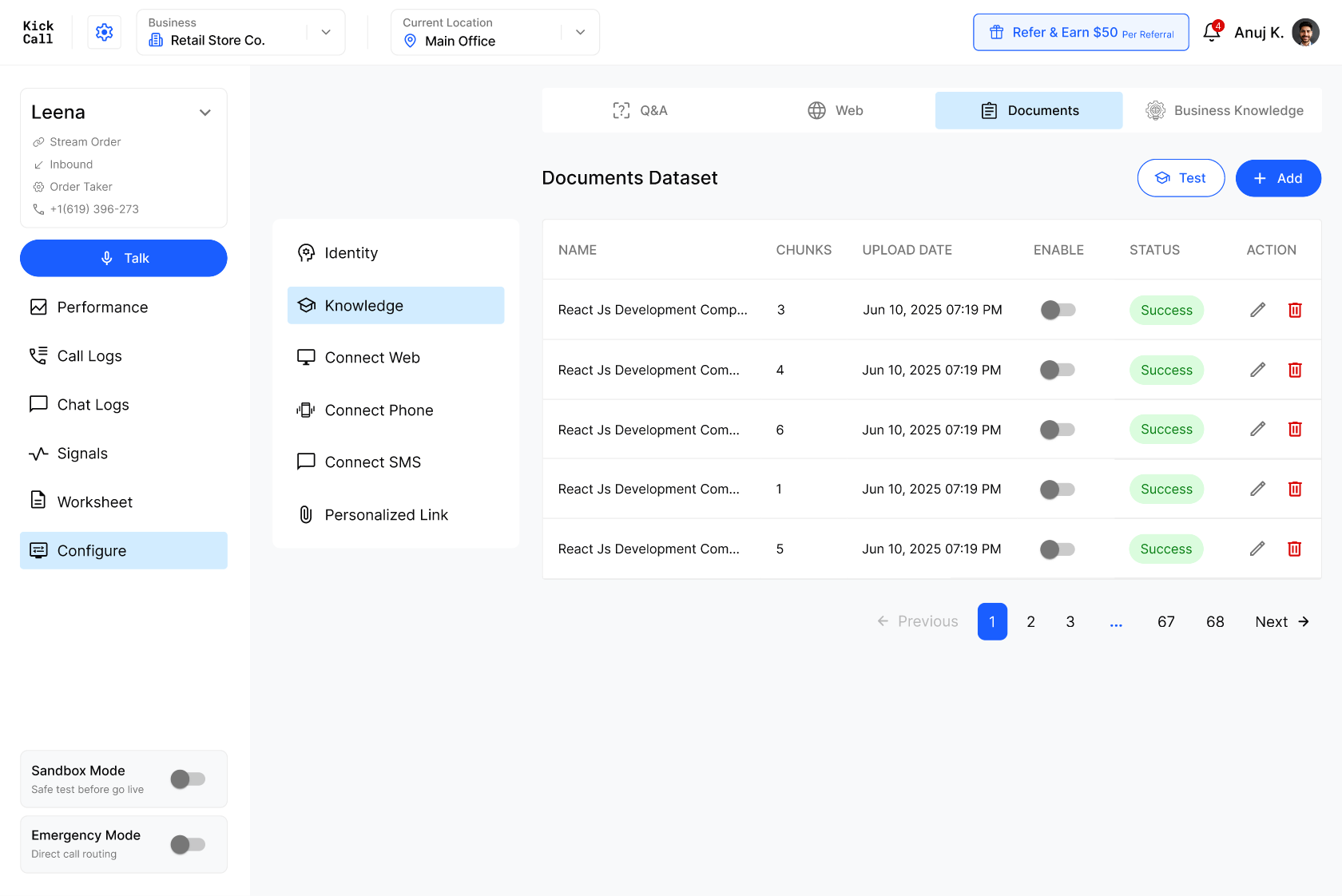
Wait for the status to show Success before relying on a document in live calls. Disable any document that is outdated rather than leaving stale content in the index.
Business Knowledge — shared across agents
If you operate multiple locations (or multiple agents), the best practice is to maintain common knowledge once in Business Settings → Knowledge Base, then connect those knowledge packs into each agent from this tab.

This avoids re-entering the same answers for every location and keeps everything in sync — update once, every connected agent gets it.
Test before you go live
Use the Test button (top right of any Knowledge tab) to open Retrieval Testing. Ask the question the way a real caller would, choose which sources to search (Q&A, Web, Documents), and verify the agent returns the answer you expect.

If the answer is wrong, missing or vague — fix the underlying Q&A, re-scrape the page, or upload a better document, then test again.
Rules for clean, agent-friendly knowledge
Be specific. Vague or contradictory content is the #1 cause of hallucination.
Avoid duplication. Do not repeat the same answer across Q&A, Web and Documents — the agent can pick the wrong version.
One question, one answer. Split compound questions into separate Q&A entries.
Keep answers short. The agent will paraphrase — long marketing copy gets in the way.
Don't put hours here. Business hours come from Locations, staff hours come from your integration.
Review AI recommendations weekly. They reflect what callers are actually asking.
Frequently Asked Questions
Which knowledge format should I prioritise?
Which knowledge format should I prioritise?
Always Q&A first. It is by far the most reliable format for the agent and the easiest for your team to maintain — short, direct, unambiguous answers are exactly what the retrieval works best on.
Web is a good secondary source because the system converts each page into Q&A pairs, so you stay in the same clean format.
We do not recommend relying on Documents. PDFs and long files get split into chunks and the agent often struggles to pull the right answer out of them — results are inconsistent and harder to debug. If the information matters, take the few extra minutes to put it into Q&A instead. Use Documents only as a last resort for reference material you cannot reasonably break down.
Will my onboarding answers automatically appear here?
Will my onboarding answers automatically appear here?
Yes. The first time the agent is set up, the knowledge base is auto-filled from your onboarding form. From then on, you maintain it directly in this module.
Why shouldn't I add business or staff hours to the knowledge base?
Why shouldn't I add business or staff hours to the knowledge base?
Business hours are pulled from Locations and staff hours from your connected practice software. Adding them here creates two sources of truth — when they drift apart, the agent gives the wrong answer.
How does the AI Recommendation Center work with Knowledge?
How does the AI Recommendation Center work with Knowledge?
It listens to real calls and surfaces questions callers asked that the agent couldn't confidently answer. When you accept a recommendation, the new Q&A is added here automatically.
I have multiple locations — do I have to maintain knowledge for each one?
I have multiple locations — do I have to maintain knowledge for each one?
No. Maintain shared content once under Business Settings → Knowledge Base, then connect it from the Business Knowledge tab into each agent. Only location-specific content needs to live on the individual agent.
How do I check whether the agent will answer a question correctly?
How do I check whether the agent will answer a question correctly?
Click Test on any Knowledge tab, type the caller's question into Retrieval Testing, and inspect what the agent returns. Fix any gap before the next live call.
Why does my agent sometimes give the wrong answer?
Why does my agent sometimes give the wrong answer?
Almost always because the knowledge has duplicated, contradictory or vague entries. Clean up duplicates, sharpen answers, and disable stale Web/Document sources — accuracy will improve immediately.
Was this helpful?
Still need help? Ask the team