Operators — Your Staff & Extensions
Written By Anand Raj
Last updated 4 months ago
Operators are your staff members inside Kickcall. In telephony terms, they're the equivalent of Extensions — the human endpoints the AI Agent can reach when a caller needs a real person.
The Agent uses Operators in three common cases during a call:
Call transfer — warm or cold transfer to the right person.
Send Email — the AI Agent sends the call summary to the Operator's email.
Send SMS — notify an Operator over SMS based on call context.
Why Operator hours matter
Operator Working Hours are critical. Before the Agent transfers a call, it checks the Operator's schedule for that day and time:
If the Operator is available → the Agent connects the call.
If the request is outside Operator hours → the Agent will tell the caller "the team is not available at this moment" and will not connect a human.
Wrong or missing Operator hours are one of the most common reasons callers are told no one is available — even when the business is actually open. Always double-check each Operator's schedule and Off Days.
Operators list
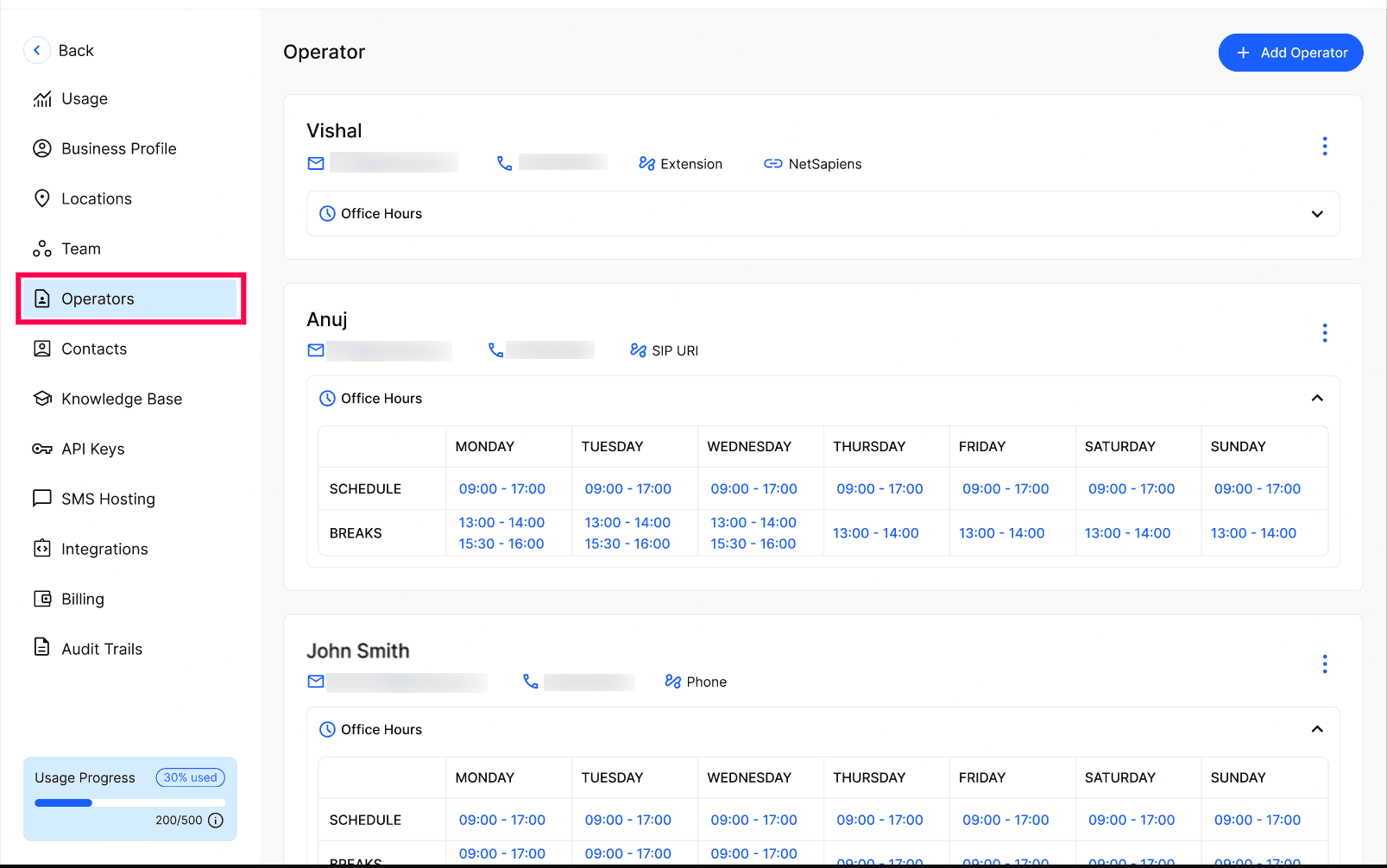
Open the Business Portal and go to Operators. Operators are business-wide (not scoped to a single Location) — you'll see every Operator set up for the business, with their contact details, telephony binding (Extension, SIP URI, Phone, etc.) and Office Hours.
Add a new Operator
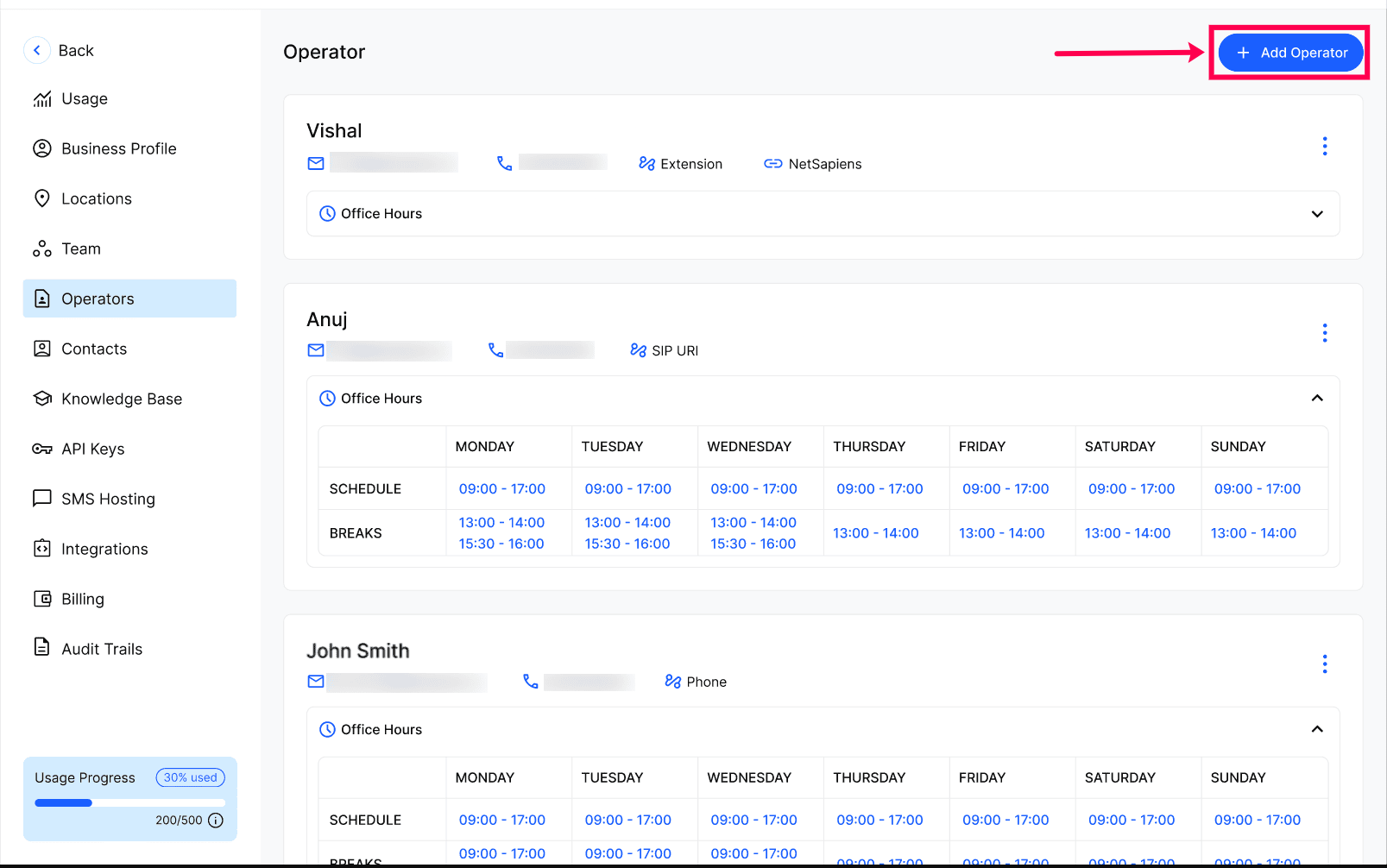
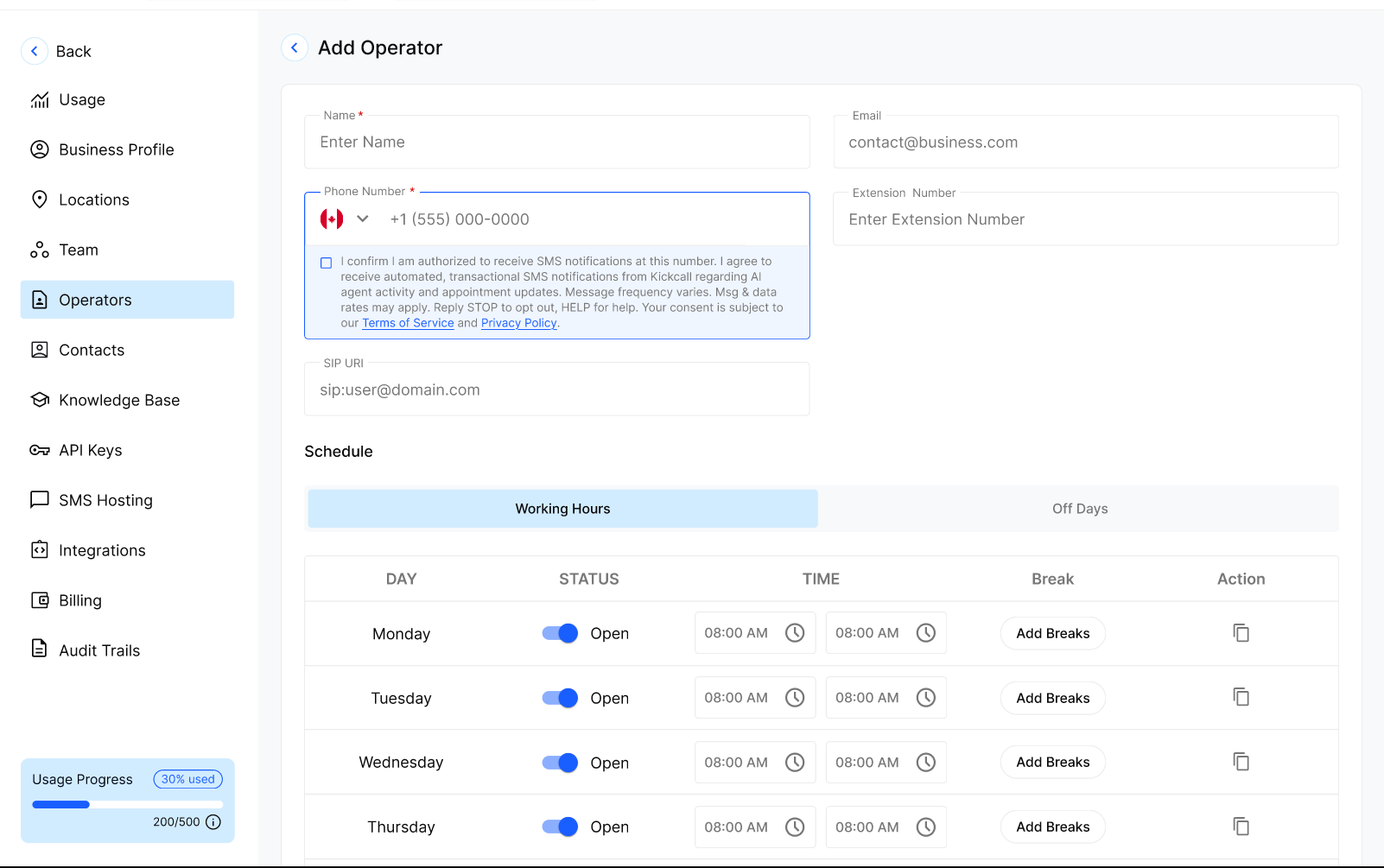
Click + Add Operator to create one. You'll fill in:
Name — how the Operator appears in the list and to the Agent.
Email — used when the Agent sends an email to this Operator.
Phone Number — used for call transfer and SMS.
Extension Number — internal extension if your telephony uses one.
SIP URI — for SIP-based routing where applicable.
Schedule → Working Hours — per day Open/Closed, start and end time, and optional Breaks.
Schedule → Off Days — specific dates the Operator is unavailable (vacation, personal off, etc.)
Note: Depending on your telephony provider, some Operators may sync automatically from your telephony system (e.g. extensions imported from your PBX). If anything looks wrong or missing in that sync, contact your Agency — they manage the telephony connection.
Frequently Asked Questions
What's the difference between an Operator and a Team member?
What's the difference between an Operator and a Team member?
An Operator is a routing endpoint the Agent uses during a call — transfer target, email recipient, SMS recipient. A Team member is a Business Portal user who logs in to manage Kickcall. The same person can exist as both, but they serve different purposes.
What happens if a caller asks for an Operator who is off?
What happens if a caller asks for an Operator who is off?
The Agent checks the Operator's Working Hours and Off Days. If they're unavailable, the Agent will not transfer the call and will tell the caller the team isn't available right now. Depending on your configuration, it may offer to take a message, book a callback, or send an email/SMS instead.
Are Operator hours the same as Location hours?
Are Operator hours the same as Location hours?
No. Location hours describe when the business is open. Operator hours describe when a specific person is reachable. Both are checked independently — a caller can reach the business during Location hours but still hit "no one available" if no Operator is on schedule.
Why don't I see all my extensions here?
Why don't I see all my extensions here?
If your telephony provider supports sync, Operators may be pulled in automatically. Missing or incorrect Operators usually point to a telephony configuration issue — reach out to your Agency to review the connection.
Can the same Operator belong to multiple locations?
Can the same Operator belong to multiple locations?
Yes. Operators are business-level, not location-scoped — every Operator you add is available across all locations of the business. You don't need to recreate the same person under each location.
Do Breaks block transfers?
Do Breaks block transfers?
Yes. During a configured Break, the Operator is treated as unavailable and the Agent will not transfer calls to them until the Break ends.
Was this helpful?
Still need help? Ask the team