Businesses Insights
Written By Maruf Ansari
Last updated About 1 month ago
Overview
The Business Insights view gives agencies a quick, visual snapshot of their business portfolio — how many businesses are active, past due, inactive, or archived, how that mix has trended over the last year, which integrations are most used, and which businesses are showing early signs of churn risk.
Summary Cards
Four cards at the top show the current count of businesses by status:
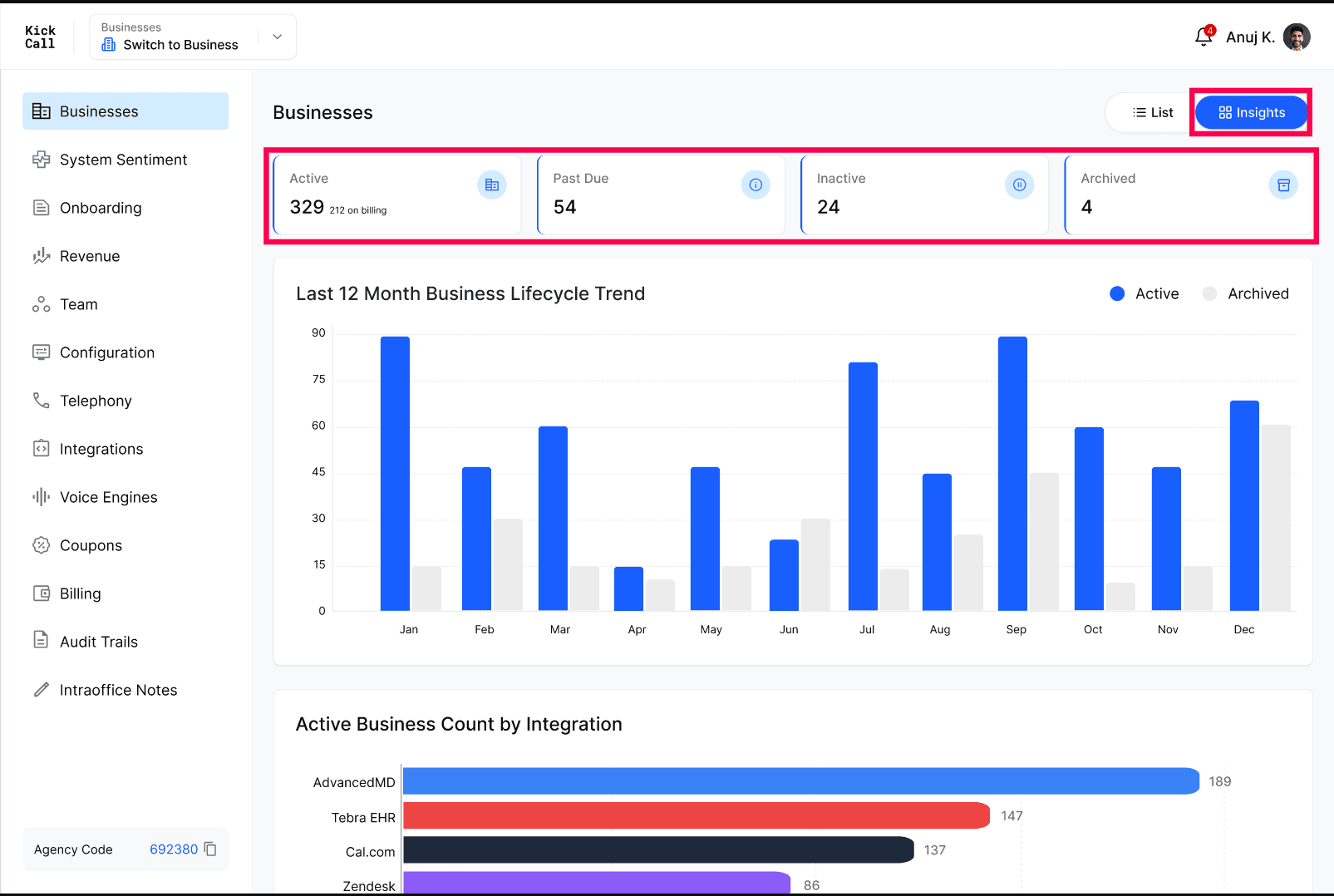
Active - Total number of businesses currently active on the platform. A sub-metric, "X on billing," indicates how many of these active businesses are currently on a billing plan.
Past Due - Businesses with a failed payment are moved to Past Due. Their services remain active for 7 days after billing to allow time to resolve the payment.
Inactive - Businesses that have completed the Past Due period. Access disabled, and billable resources such as numbers and integrations are released. All other data and information remain available.
Archived - Businesses that have been archived & are no longer active on the platform. All data and resources are cleaned up, except billing information.
Check out Business Account Statuses.
Last 12 Month Business Lifecycle Trend
This bar chart visualizes the month-over-month trend of business lifecycle activity over the trailing 12-month period.
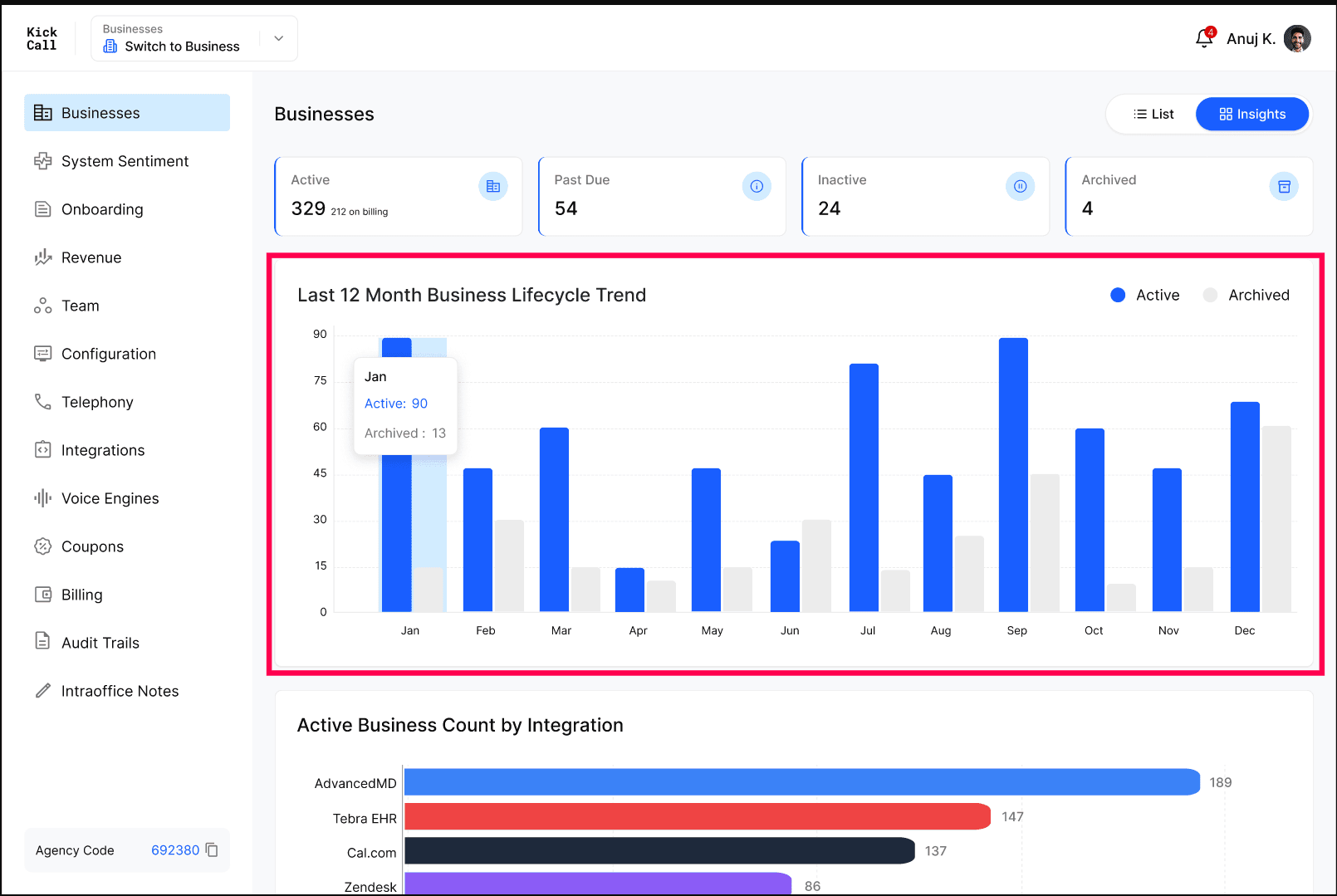
Blue bars represent the number of businesses that became Active in a given month.
Grey bars represent the number of businesses that were Archived in a given month.
Active Business Count by Integration
This horizontal bar chart displays the number of active businesses grouped by the third-party integration they use (e.g., AdvancedMD, Tebra EHR, Zendesk, Oscar Pro, Juno EMR, Cure MD, Dentrix).
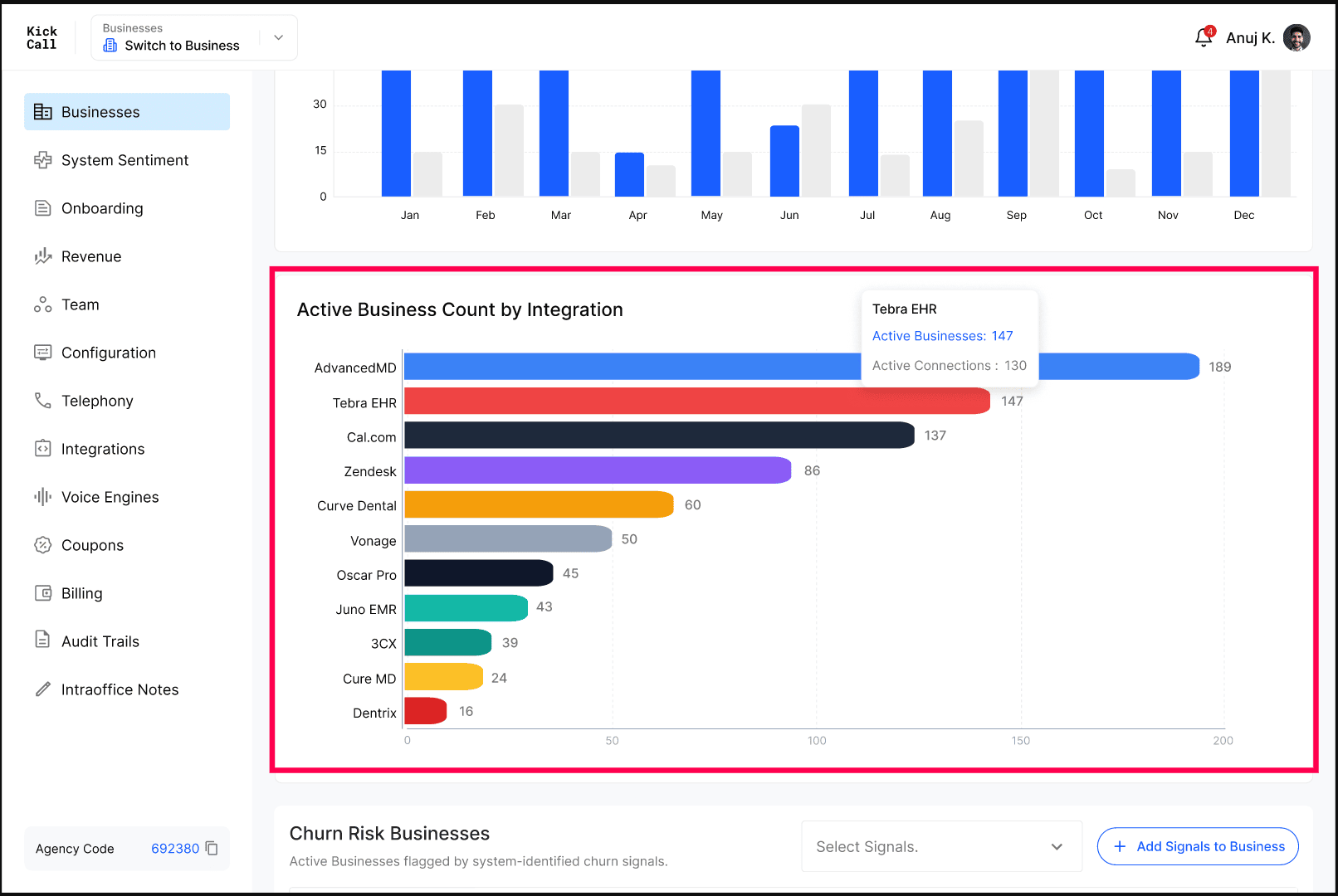
Each bar represents the total count of active businesses using that integration.
Hovering over a bar displays a tooltip with additional detail for that integration, including:
Active Businesses — total count of active businesses on that integration.
Active Connections — total count of currently live/connected integration instances.
Churn Risk Businesses
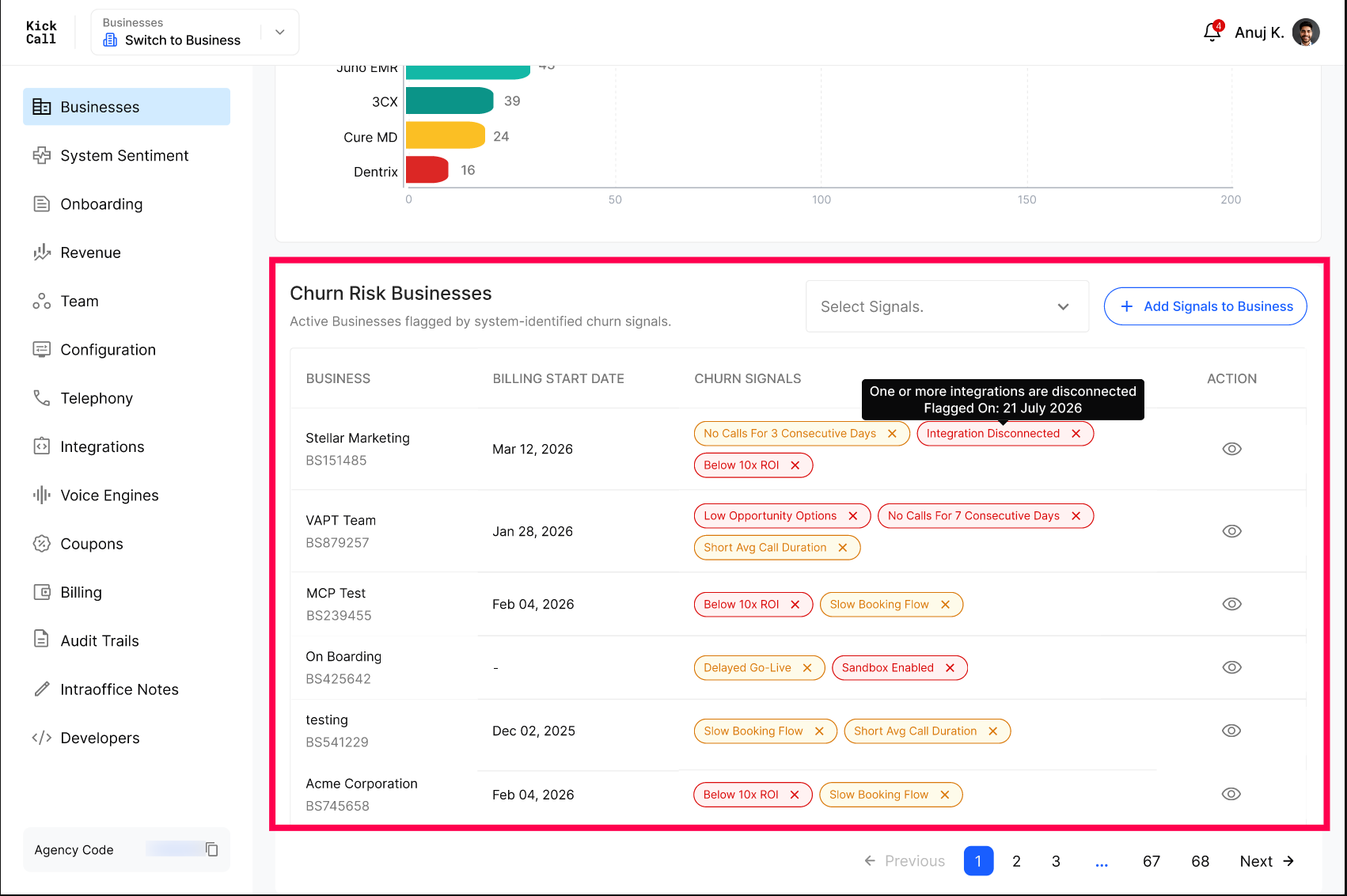
The Churn Risk Businesses table lists active businesses that have been flagged as being at risk of churn. Churn signals are generated automatically by the system based on predefined thresholds, but agency users can also manually add signals to a business using the "+ Add Signals to Business" button.
Columns:
Business – name and ID
Billing Start Date – shows "–" if billing hasn't started
Churn Signals – one or more risk tags (removable individually)
Action – clicking the eye icon takes the user directly into that business's detail view
A Select Signals dropdown above the table allows users to filter the list by specific churn signal type.
Churn Signal Definitions
The following table defines each system-generated churn signal and the condition that triggers it:
Note: In addition to these system-generated signals, agency users can manually tag a business with a custom churn signal via the Add Signals to Business action, allowing for flexibility in flagging risk conditions not captured by automated rules.
Frequently Asked Questions
How often do the Business Insights numbers refresh?
How often do the Business Insights numbers refresh?
All summary cards, trend charts and integration counts reflect the current state of your portfolio in real time. Churn signals are evaluated by the system on a daily cadence based on the thresholds above.
What does "X on billing" mean on the Active card?
What does "X on billing" mean on the Active card?
It's the count of active businesses that are currently on a paid billing plan. The Active total may include businesses that are live but not yet on billing (for example, during a trial or grace period).
Can I remove a churn signal from a business?
Can I remove a churn signal from a business?
Yes. Each signal tag in the Churn Signals column can be removed individually. Removing a system-generated signal only clears it until the underlying condition triggers it again.
Can I add a custom churn signal that isn't in the built-in list?
Can I add a custom churn signal that isn't in the built-in list?
Yes. Use the + Add Signals to Business button above the table to manually tag any active business with a custom signal.
What's the difference between "Active Businesses" and "Active Connections" in the integration tooltip?
What's the difference between "Active Businesses" and "Active Connections" in the integration tooltip?
Active Businesses counts the businesses currently using that integration. Active Connections counts the number of live connected instances — a single business can have more than one connection to the same integration.
How do I open a specific business from the churn table?
How do I open a specific business from the churn table?
Click the eye icon in the Action column of that row. It takes you straight to that business's detail view.
More in Businesses:
Was this helpful?
Still need help? Ask the team