What Is an A2P SMS Campaign and How Do You Manage It?
Create and manage A2P campaigns, check registration status, and link approved campaigns to your business phone numbers
Written By Maruf Ansari
Last updated About 3 hours ago
Make sure carriers deliver your business text messages instead of blocking them. The A2P Campaign tab is where you register your brand, create SMS campaigns, and link them to your phone numbers.
In the USA, A2P registration is mandatory before you send SMS messages.
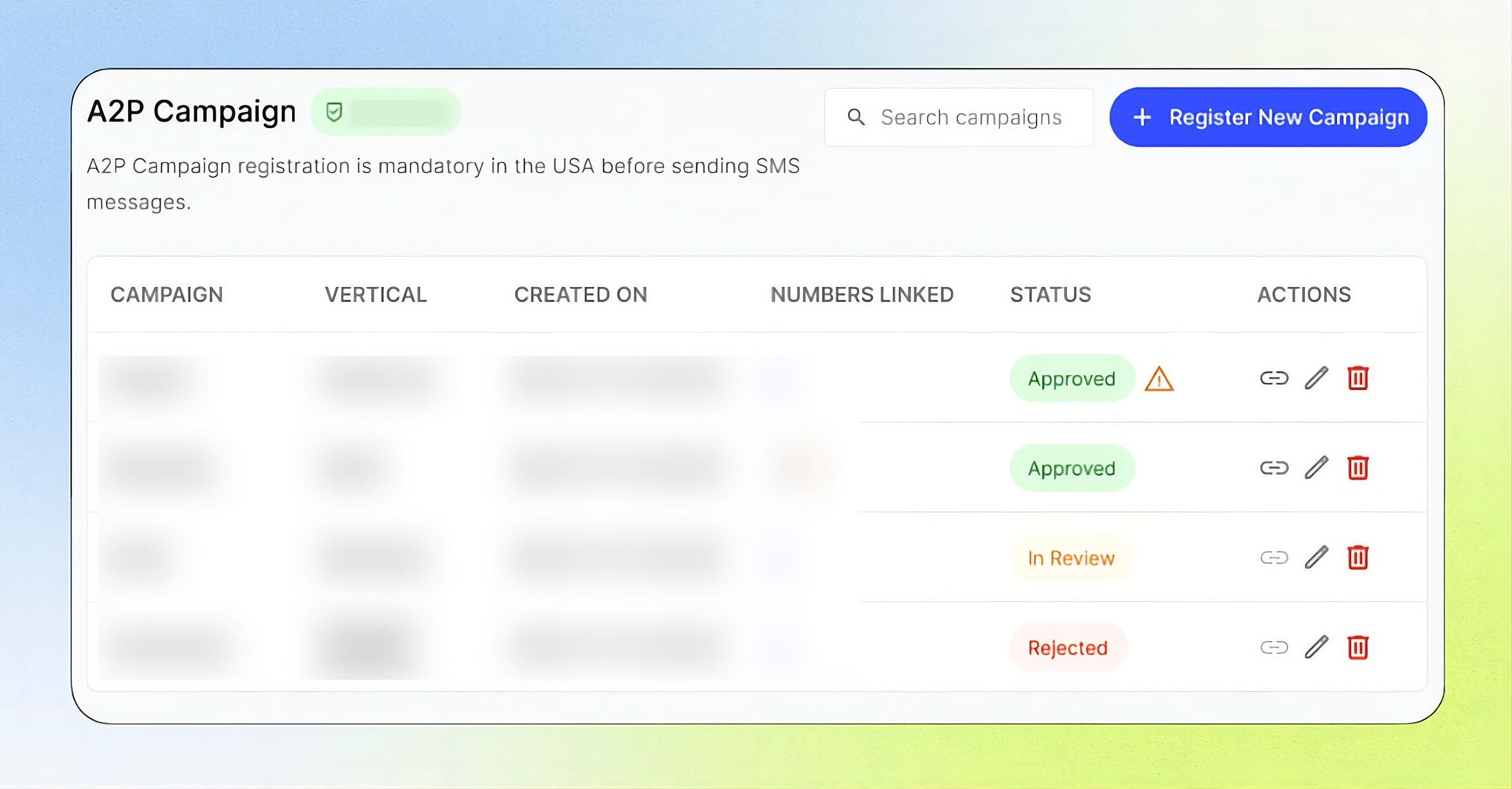
Open it from the Business Portal sidebar under Telephony → A2P Campaign.
Add-on required: Your Business must activate the A2P 10DLC Registration add-on before you can access A2P brand and campaign registration. See Add-Ons.
What this does
A2P (Application-to-Person) messaging is text messaging sent by a business system — such as your AI agent — to people. Carriers require two registrations before they accept this traffic:
Brand — your verified business identity. You register it once.
Campaign — what you send messages for (for example, appointment reminders or account notifications). You can register several campaigns under one approved brand.
Unregistered business messages may be blocked or filtered by carriers.
Conditions for enabling A2P campaigns
A registered, approved brand. Only an approved brand can be used to create campaigns. See Register Your Brand.
A supported country. SMS is available for Businesses in Canada; in the United States, SMS can be enabled after completing A2P 10DLC registration.
A linked number. An approved campaign can't send messages until at least one number is linked to it.
Note: Carriers reject campaigns involving debt collection, high-risk financial content (loans, credit repair, crypto), lead generation or third-party messaging, and age-restricted content without age-gating. See Register an A2P Campaign for the full list
How the process works
Register your brand and wait for approval (usually 1 to 3 business days).
Register a campaign and wait for it to be approved.
Link one or more phone numbers to the approved campaign.
The A2P Campaign tab
What you see depends on where you are in the process:
No brand yet: "You haven't registered your brand yet. Only registered brand can be used to create campaigns." with a Register Brand button.
Brand in review: Your Brand "[name]" is in review.
Brand rejected: Your Brand "[name]" was rejected, with a Resubmit Brand button.
Brand approved: your brand name appears as a green badge beside the A2P Campaign heading, along with the campaign list.
Campaign list
Use Search campaigns to find a campaign, or click Register New Campaign to add one.
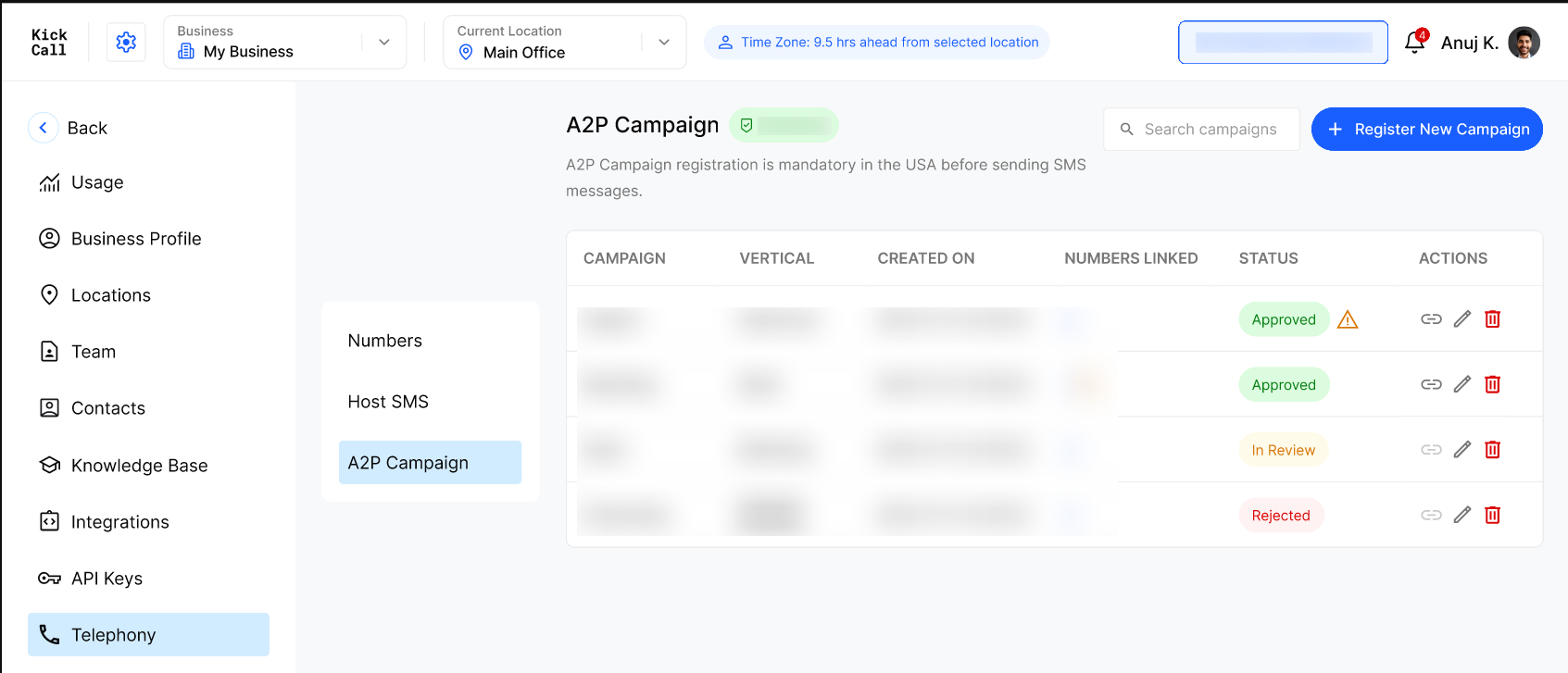
Warning icon beside an Approved status — the campaign is approved but no number is linked yet. Hover over it to see: "Your campaign has been approved, but no number has been linked yet. Please link a number within 60 days to avoid a $250 non-use fee."
Clock icon beside the linked-number count — appears when more than one number is linked to the campaign. Click it to open the linked numbers.
Linked Numbers panel
Clicking the clock icon opens the Linked Numbers panel, which lists every number attached to the campaign:
Important: Link at least one number within 60 days of campaign approval. Otherwise a $250 non-use fee applies.
Frequently Asked Questions
Do I need A2P registration?
Do I need A2P registration?
Yes, if you send SMS in the USA. Registration is mandatory there before sending SMS messages.
What is the difference between a brand and a campaign?
What is the difference between a brand and a campaign?
The brand is your verified business identity, registered once. A campaign describes one type of messaging you send. You can have several campaigns under one brand.
Can I send SMS from a number connected through SIP?
Can I send SMS from a number connected through SIP?
No. Only phone numbers purchased through the platform can send SMS messages.
Why does my approved campaign show a warning icon?
Why does my approved campaign show a warning icon?
No phone numbers are linked to it yet. Link at least one number within 60 days of approval so it can send messages and to avoid a $250 non-use fee.
What does the clock icon next to the linked-number count mean?
What does the clock icon next to the linked-number count mean?
It appears when more than one number is linked to the campaign. Click it to open the Linked Numbers panel and see each number's provider, date added, and status (In Progress or Linked).
Is A2P registration billed?
Is A2P registration billed?
A2P registration is offered as the A2P 10DLC Registration add-on, and each campaign type has its own monthly price. See Add-Ons and Register an A2P Campaign, or contact your Agency.
Was this helpful?
Still need help? Ask the team