How Do You Register Your Brand for A2P Messaging?
Submit your business details to register and verify your brand before creating A2P SMS campaigns
Written By Maruf Ansari
Last updated About 2 hours ago
Register your brand once so carriers recognize your Business as a trusted sender. An approved brand is required before you can create any A2P campaign. This guide walks you through the form, the review, and what to do if your brand is rejected.
For background on A2P and the campaign list, see A2P Campaign.
Add-on required: Your Business must activate the A2P 10DLC Registration add-on before you can access A2P brand and campaign registration. See Add-Ons.
Before you start
Have these details ready, exactly as they appear on your official business records:
Your brand (DBA) name and legal company name.
Your legal form and tax number (for example, an EIN).
A business phone number and email address.
Your full business address and website.
Your business vertical (industry).
Tip: Mismatched details are the most common reason for rejection. Copy names and numbers directly from your registration documents.
Register Your Brand
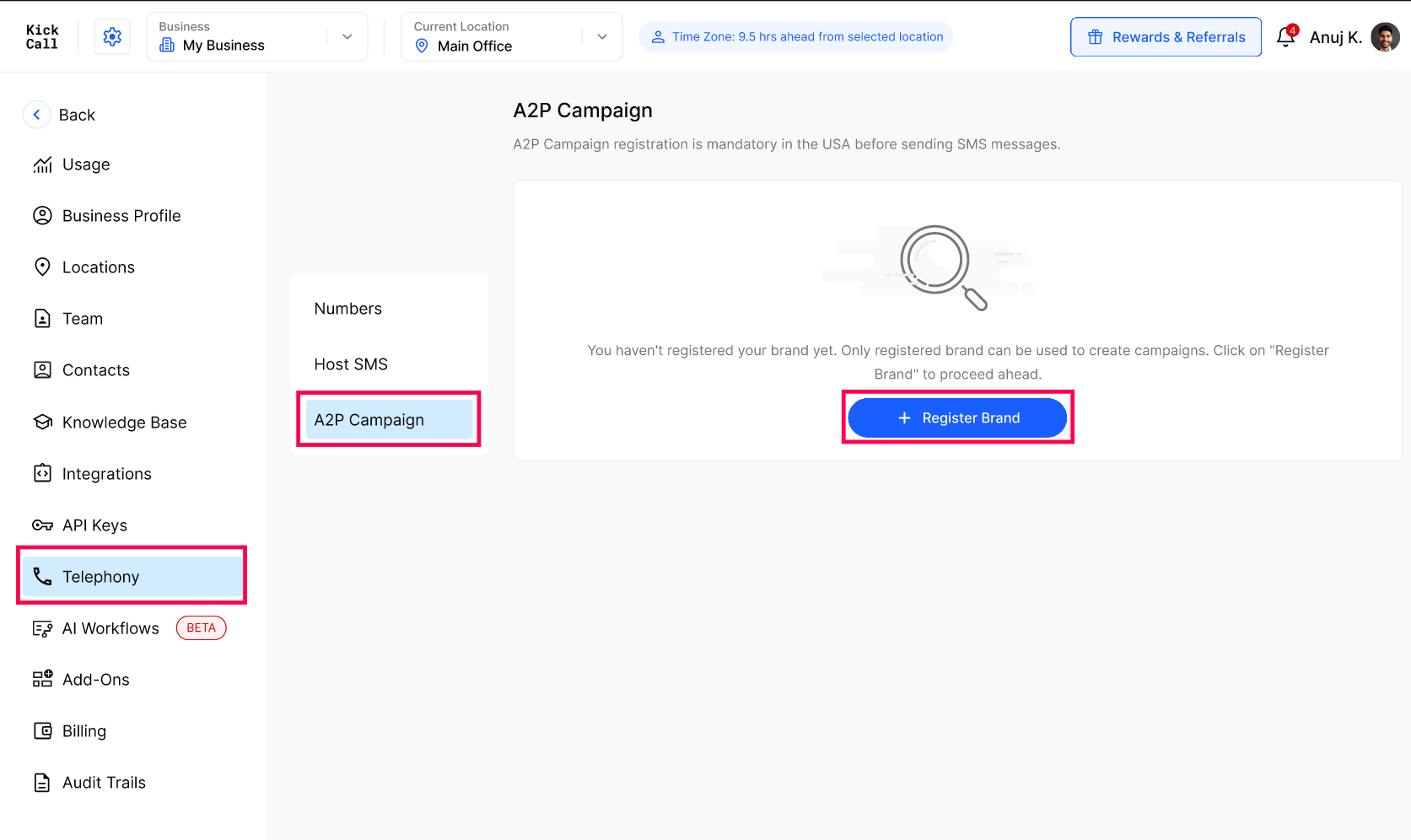
Expected result
A confirmation shows Your brand is being verified, with the Brand Name, Submitted On date, and a status of In Review. The tab then shows Your Brand "[name]" is in review.
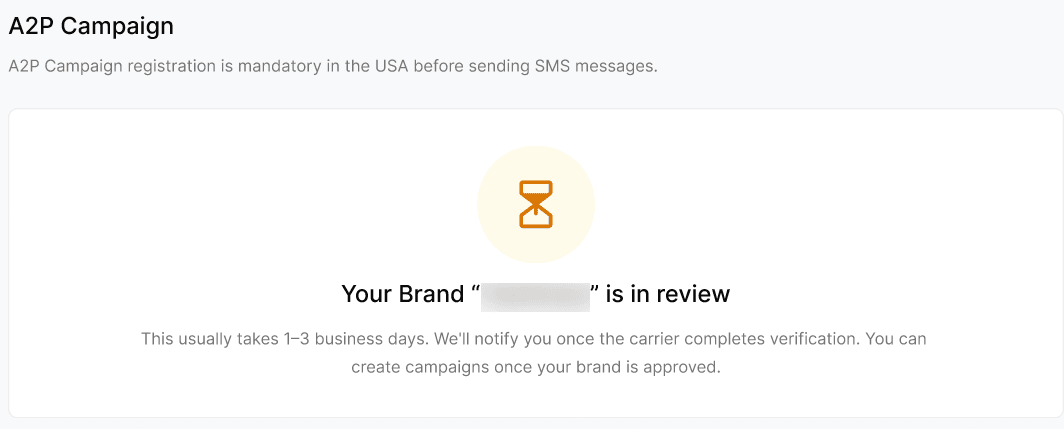
Review usually takes 1 to 3 business days. You will be emailed when a decision is made — no action is needed in the meantime.
Verify the result
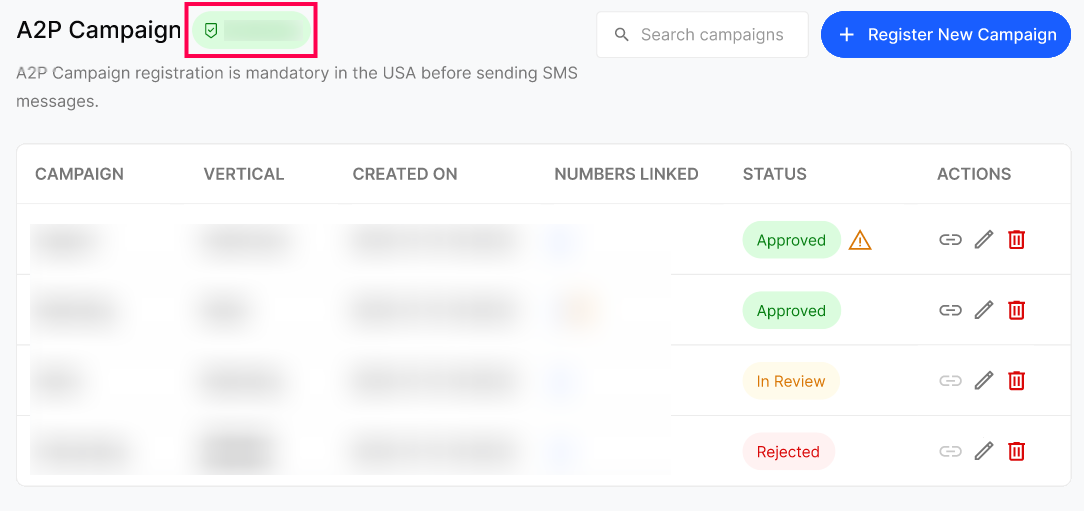
When your brand is approved, its name appears as a green badge beside the A2P Campaign heading and Register New Campaign becomes available. You can review the brand details, including the name, EIN, support email, and phone number, by hovering over the green badge. Continue with Register an A2P Campaign.
If your brand is rejected
The tab shows Your Brand "[name]" was rejected when the submission doesn't meet the carrier's verification requirements.
Review the reason shown and correct the affected details.
Click Resubmit Brand and send it for review again.
Frequently Asked Questions
How many brands can my Business register?
How many brands can my Business register?
You register your brand once. All your campaigns are created under that brand.
How long does brand verification take?
How long does brand verification take?
Usually 1 to 3 business days. You will be emailed once a decision is made.
Can I create campaigns while my brand is in review?
Can I create campaigns while my brand is in review?
No. Only an approved brand can be used to create campaigns.
What should I do if my brand is rejected?
What should I do if my brand is rejected?
Review the reason, correct your details, and click Resubmit Brand.
Is the Business Contact Email required?
Is the Business Contact Email required?
No. It's optional - use it to add a second contact for the registration.
Was this helpful?
Still need help? Ask the team