Business Billing Information & Packages
Written By Anand Raj
Last updated 3 months ago
Business Billing Information & Packages lets the Agency assign a pricing package to any business and control whether the business can see its own billing module.
Note: The pricing package is initially assigned during Business Onboarding from the Internal Process step. You can change the package any time later from this screen.
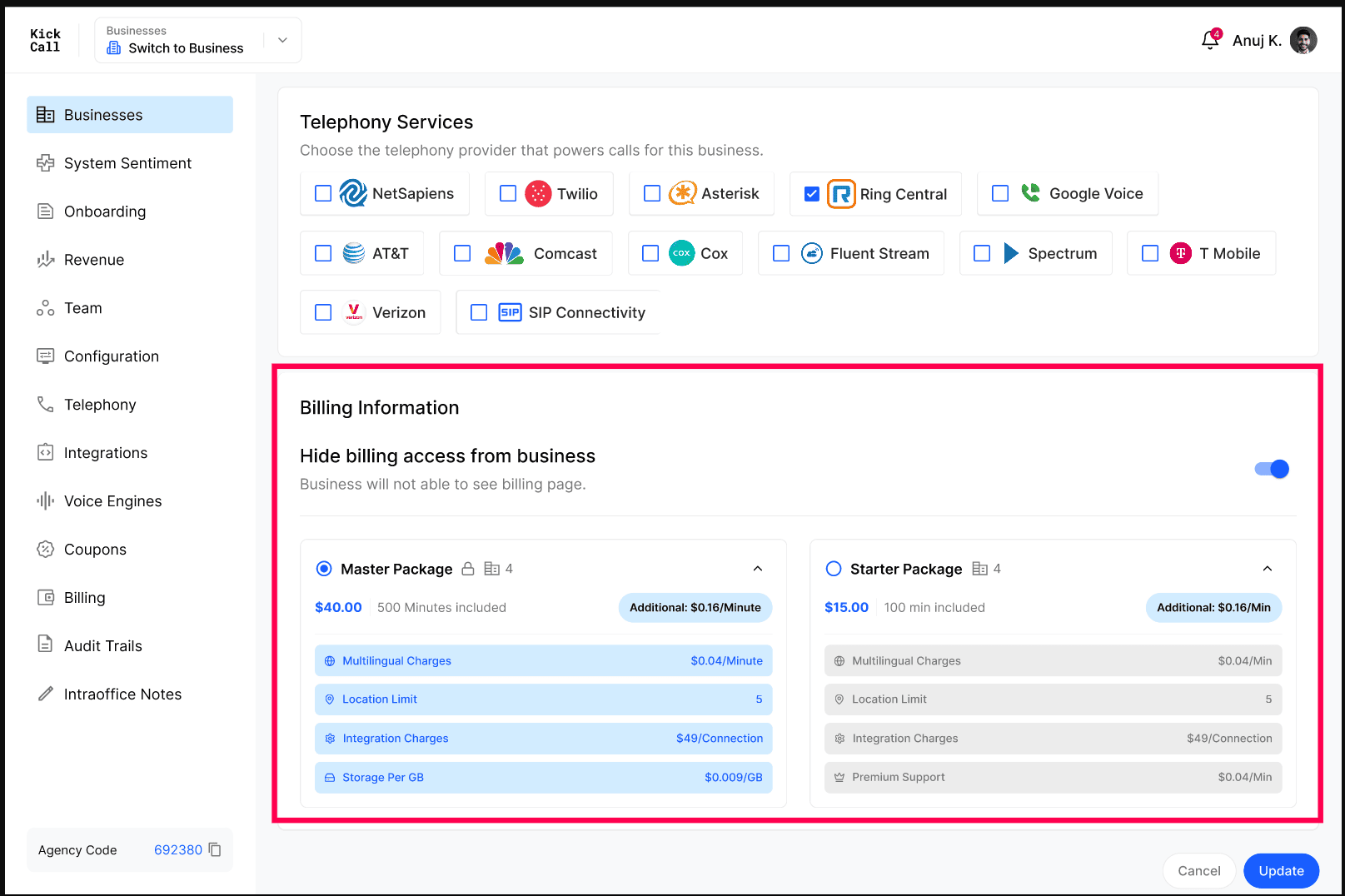
Assign a package
Agencies have full flexibility to select the pricing package that fits each business. Pick from the available packages (for example, Master Package or Starter Package) — each shows the monthly price, included minutes and the per-minute overage rate.
Open the business and scroll to Billing Information.
Select the package that fits the business.
Click Update to save.
Hide billing access from business
Use the Hide billing access from business toggle when you want to manage billing yourself and not expose it to the business. This is useful when you are selling Kickcall as an add-on to your main services and handling billing separately.
Off — the business can see the billing page inside their portal.
On — the billing page is hidden from the business; only the Agency manages it.
Frequently Asked Questions
Can I change a business's package later?
Can I change a business's package later?
Yes. Bills are calculated at the end of each month, so you can change the package any time before the bill is generated. Open the business, pick a different package and click Update — the new package will be used for that month's bill.
What happens to extra usage beyond included minutes?
What happens to extra usage beyond included minutes?
Usage above the included minutes is charged at the per-minute rate shown on the package (for example, $0.16/minute).
Will the business see the package price if I hide billing?
Will the business see the package price if I hide billing?
No. With Hide billing access from business turned on, the business cannot open the billing page or see package pricing.
More in Manage Business Details & Configurations:
Was this helpful?
Still need help? Ask the team