Agent Behavior Edit Permissions
Written By Anand Raj
Last updated 3 months ago
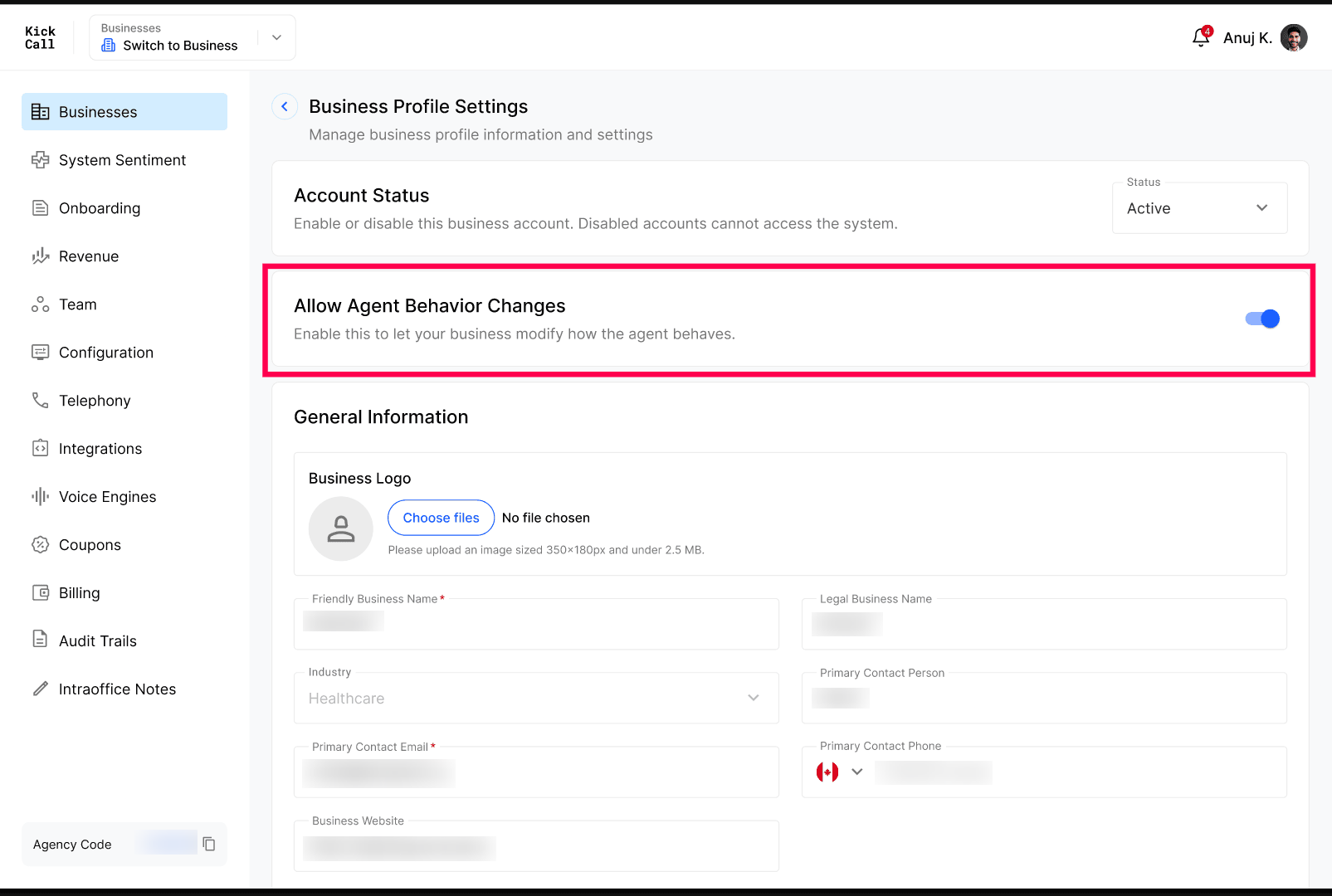
Agent Behavior Edit Permissions is a single On/Off toggle that controls whether a Business is allowed to change their agent's behavior from the Business Portal.
Agent prompts and flows are written in plain English and look simple, but even a small wording change can significantly impact how the agent behaves on live calls — including how it greets, qualifies, escalates or closes a conversation. This toggle lets the Agency decide who is trusted to make those changes.
What the toggle does
On — the Business can open the Agent Builder and edit agent behavior themselves (call flows, prompts, routing, tone, escalation logic).
Off — the Agent Builder becomes read-only for the Business. They can still view the setup, but cannot change anything that affects behavior. Basic settings such as Agent name, Voice, Language, Knowledge Base and Phone number remain fully editable — only the behavior layer is locked.
Note: We recommend keeping this Off by default. Turn it On only for a Business — or an internal team member — who has a deep understanding of how prompt design affects agent behavior. When in doubt, leave it Off and let the Agency handle behavior changes on the Business's behalf.
Frequently Asked Questions
Will turning it Off break anything the Business is already doing?
Will turning it Off break anything the Business is already doing?
No. The agent keeps running with its current behaviour. Only the ability to edit that behaviour is removed.
Should I give my internal team this access by default?
Should I give my internal team this access by default?
Only if they truly understand prompt engineering and how the Agent Builder works. Otherwise, keep it Off and route behavior changes through whoever owns agent quality at your Agency.
Are changes to this permission audited?
Are changes to this permission audited?
Yes. Toggling the permission, and every subsequent Builder edit made by a Business, is recorded in Audit Trails.
More in Manage Business Details & Configurations:
Was this helpful?
Still need help? Ask the team