Business Telephony
Written By Anand Raj
Last updated 3 months ago
Business Telephony is where the Agency picks the telephony service that powers calls for a business. Multiple services can be assigned to the same business, and if your provider is not in the list you can bring your own SIP trunk.
Note: Telephony services are initially selected during Business Onboarding from the Internal Process step. You can update them any time later from this module.
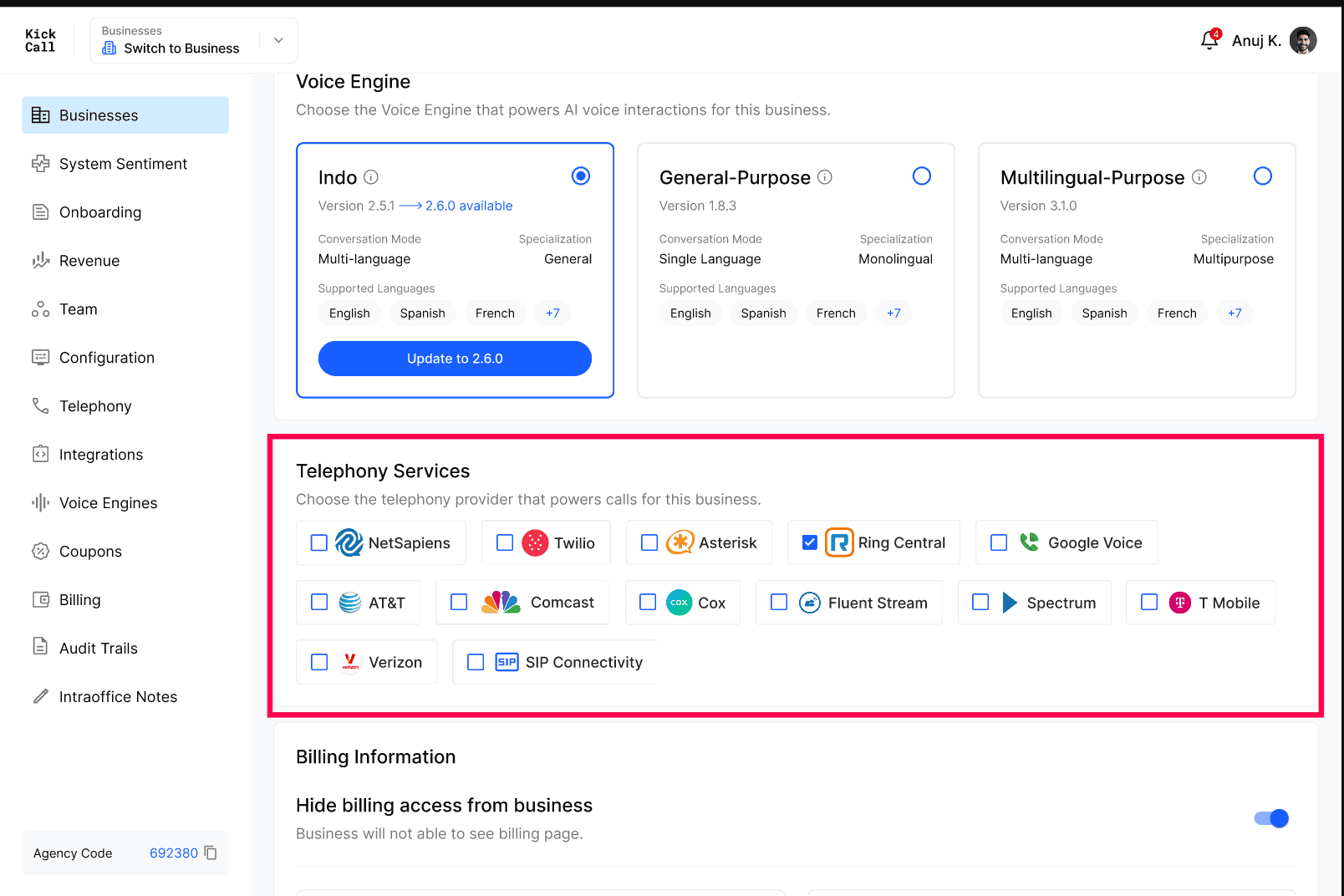
Available telephony services
Open the business and go to Telephony → Telephony Service. You'll see the providers Kickcall supports out of the box:
NetSapiens — Cloud PBX with multi-tenant domain management.
Twilio — Programmable voice API with global numbers.
Bandwidth — Enterprise-grade voice and messaging carrier with nationwide coverage.
Asterisk — Open-source PBX framework for custom VoIP deployments.
RingCentral — Cloud-based business phone and unified communications platform.
Google Voice — Cloud phone service for business calling and voicemail.
AT&T — Enterprise telephony and SIP trunking services.
Comcast — Business voice services over Comcast's network.
Cox — Business telephony and SIP connectivity provider.
Fluent Stream — Hosted VoIP phone system for businesses.
Spectrum — Business phone and SIP voice services.
T-Mobile — Mobile voice network with business telephony solutions.
Verizon — Enterprise voice, SIP trunking, and communication services.
SIP Connectivity — Standard SIP-based integration for compatible PBX and VoIP providers.
Assign telephony to a business
Open the business and go to Telephony.
Under Telephony Service, tick one or more providers you want to enable for this business.
If your provider isn't listed, select Bring your own carrier and enter your SIP trunk credentials.
Click Save.
Frequently Asked Questions
Can I assign more than one telephony service to a business?
Can I assign more than one telephony service to a business?
Yes. The Agency can enable multiple telephony services for the same business — useful when different numbers or locations sit on different carriers.
What if my telephony provider isn't in the list?
What if my telephony provider isn't in the list?
Use Bring your own carrier. You can connect the agent using your own SIP trunk credentials, so you're not blocked if Kickcall doesn't have a native integration with your provider yet.
Can the Business change the telephony service themselves?
Can the Business change the telephony service themselves?
No. Telephony service selection is an Agency-level setting. The Business can manage day-to-day telephony details like phone numbers, but the underlying service is controlled by the Agency.
More in Manage Business Details & Configurations:
Was this helpful?
Still need help? Ask the team